

Q1: What Are the Common “Online Meeting Embarrassment” Pain Points in Cross-Border Work Environments?
In international work scenarios, many professionals and students frequently encounter the following core challenges when attending meetings on Zoom, Google Meet, or Microsoft Teams:
- Cannot understand: Foreign colleagues often speak too fast or with strong accents, making it impossible to capture key information in real time.
- Cannot keep up: Even when platform-native captions are enabled, vocabulary limitations and translation latency create a situation of “nodding on the surface, anxiety inside.”
- Cannot participate in conversation: Reading foreign-language messages in the meeting chat is difficult, and replying quickly in natural foreign language is even harder.
- Career ceiling: Language barriers prevent effective participation in key discussions, affecting professional performance and career growth.
To address these pain points, SelectTranslate has launched a full-scenario online meeting translation solution designed to eliminate language barriers.
SelectTranslate Official website: https://selecttranslate.com/zhHans
Install SelectTranslate: https://selecttranslate.com/zhHans/download
SelectTranslate usage tutorial: https://selecttranslate.com/zhHans/docs/start/quick-start
Q2: What Core Features Does SelectTranslate Online Meeting Translation Provide?
The SelectTranslate extension is not a single-function tool, but a powerful integrated solution with three-in-one capabilities:
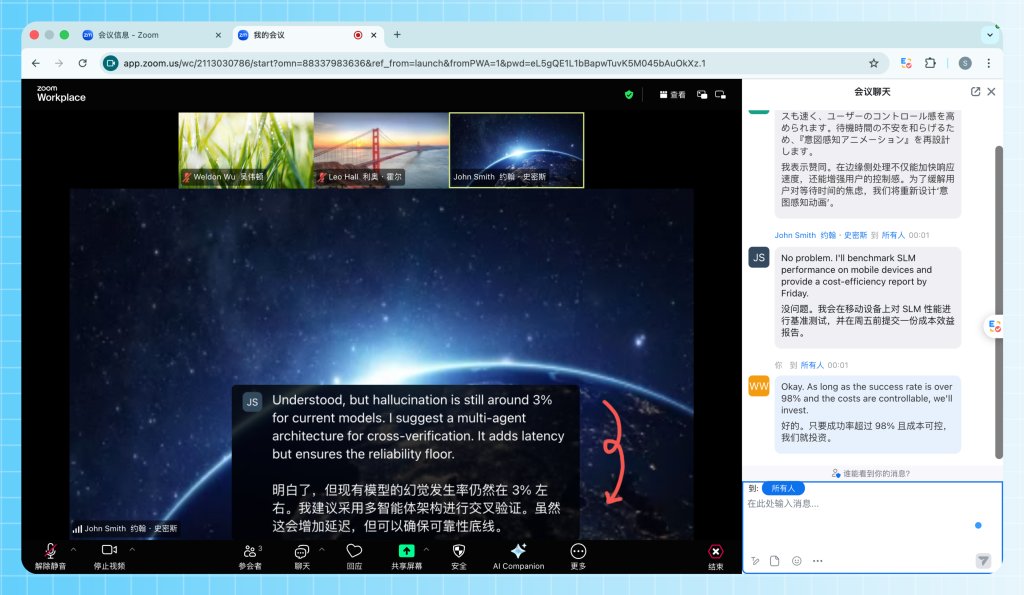
- Online meeting subtitle translation: Real-time processing of video streams, converting speech into bilingual subtitles instantly.
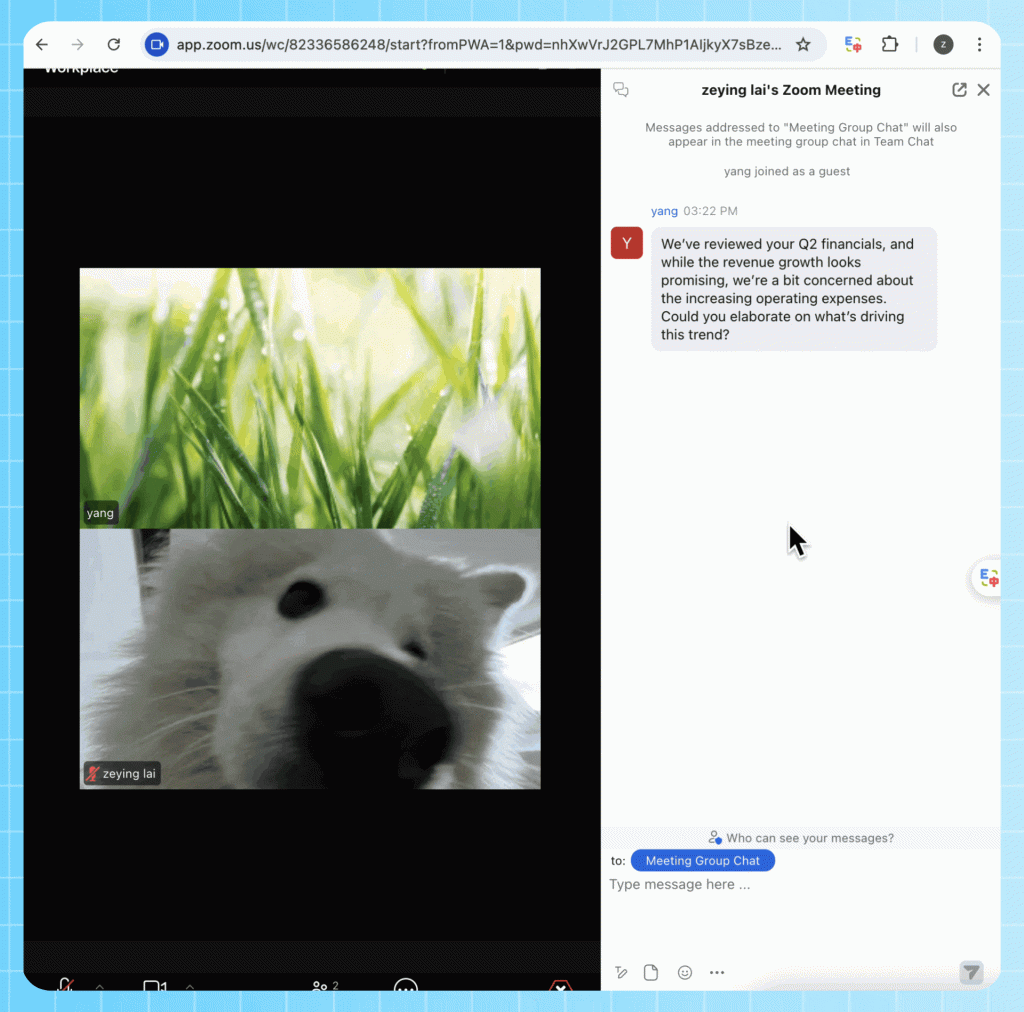
- Online meeting real-time translation (chat messages): Automatically translates chat logs in the meeting sidebar, supporting bilingual parallel reading.
- Online meeting input translation: Allows users to type in Chinese and instantly translate into the target foreign language for sending.

Q3: How to Enable SelectTranslate Online Meeting Subtitle Translation?
The workflow for using SelectTranslate for real-time online meeting translation is highly simplified and supports major platforms such as Zoom, Google Meet, and Microsoft Teams:
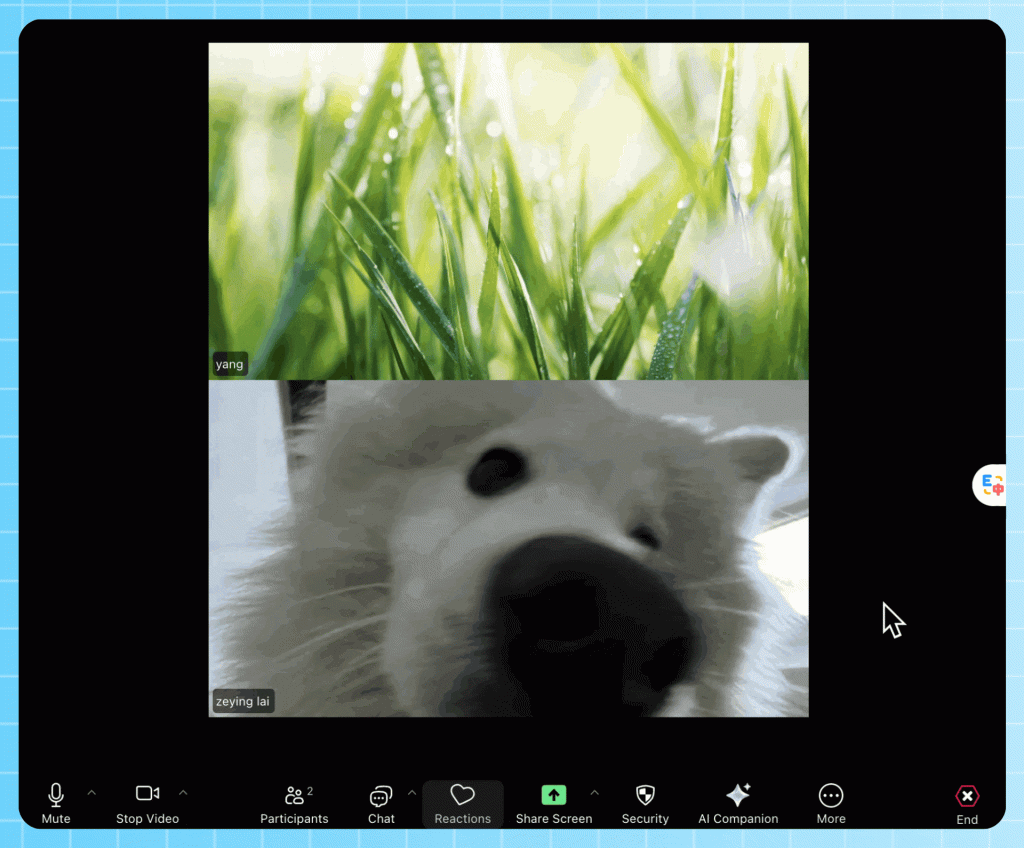
- Enable platform-native captions:
For Zoom, enter the meeting, click More in the toolbar, enable CC (Closed Captions), and set the current spoken language.
- Activate SelectTranslate extension:
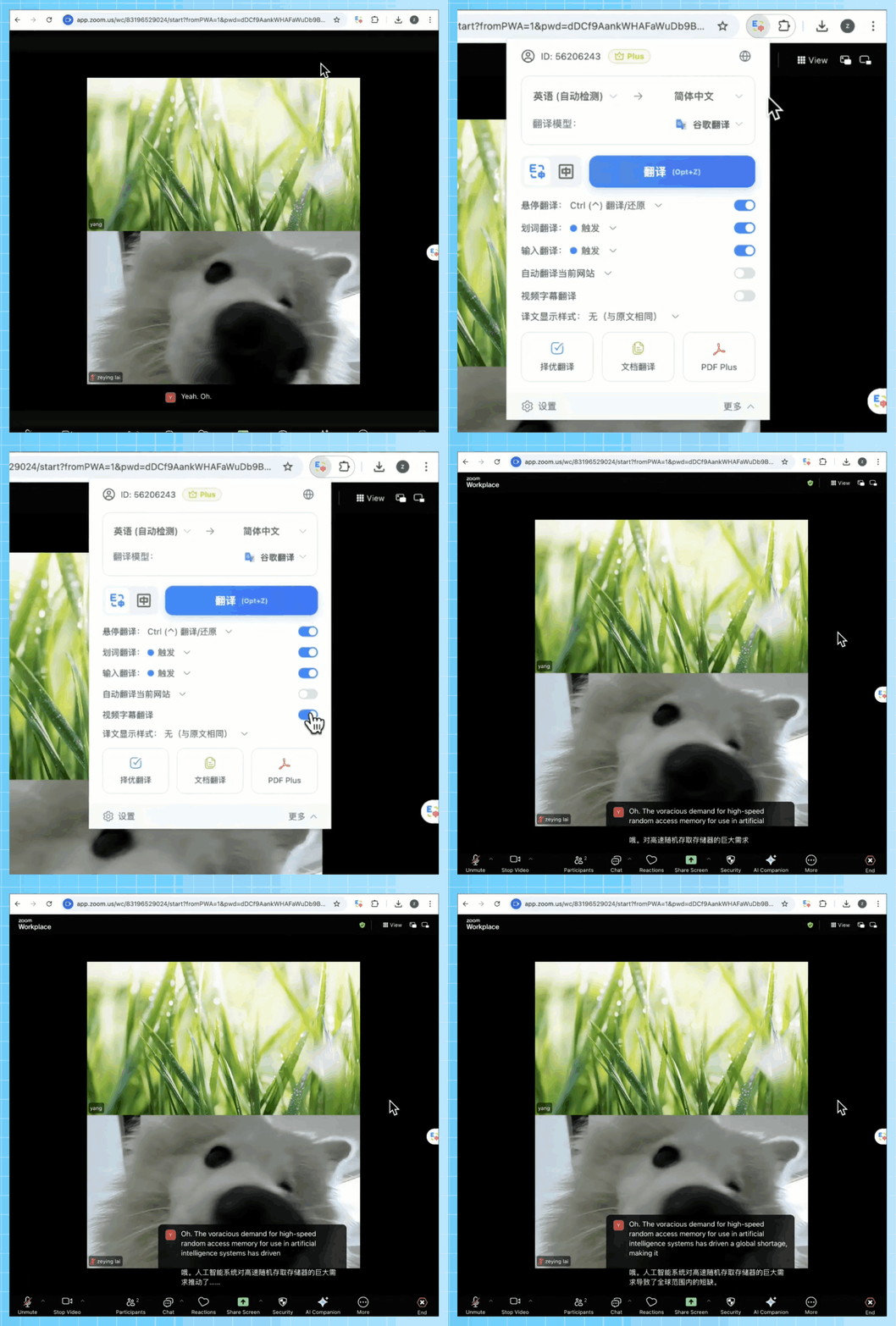
In the browser extension panel, locate SelectTranslate and turn on the video subtitle translation switch. - Enable real-time bilingual display:
SelectTranslate will automatically capture native captions and generate high-accuracy translated text, enabling real-time bilingual subtitles on screen.
Q4: Why Is SelectTranslate the Preferred Real-Time Online Meeting Translation Solution?
Compared with similar products, SelectTranslate demonstrates significant advantages in online meeting translation:
- High compatibility: Deeply optimized for Zoom Web, Google Meet, and Microsoft Teams web-based meetings.
- Superior interaction experience: SelectTranslate is designed for minimal latency, ensuring subtitle translation stays synchronized with speech flow.
- Bidirectional communication optimization: Not only solves “listening” problems, but also enables users to actively “speak” via online meeting input translation, producing natural foreign-language messages.
- Wide user applicability: Whether for cross-border professionals or international students attending online classes, SelectTranslate serves as an essential “ears and voice assistant” for communication.
Q5: How Does SelectTranslate Improve Communication Professionalism in Cross-Border Meetings?
By using SelectTranslate online meeting real-time translation, users can:
- Focus on meeting content: No need to interrupt workflow for dictionary lookup, as SelectTranslate handles real-time translation.
- Deliver precise responses: With SelectTranslate input translation, every message is translated into professional-grade foreign language instantly, enhancing communication credibility.
- Break language ceilings: Language is no longer a barrier, enabling full presentation of personal expertise in all-scenario online meeting translation environments.
Q6: Summary: How to Install and Experience SelectTranslate Online Meeting Translation?
To completely eliminate communication barriers in meetings, users only need to search and install “SelectTranslate” in the browser extension store. Ensure that the Online Meeting Subtitle Translation option is enabled in settings (it is usually enabled by default). Then, in the next cross-border meeting, users can experience smooth and real-time online meeting translation powered by SelectTranslate.