
As a programmer who dives deep into GitHub, Stack Overflow, various technical communities, and official English API documentation every day, have you ever suffered from headaches while reading all-English content, or been tortured by traditional full-page replacement translation that makes it impossible to read code accurately?
Looking at multiple translation tools in actual use, most products still remain at the “basic translation” level, providing a fragmented experience in complex technical reading scenarios.
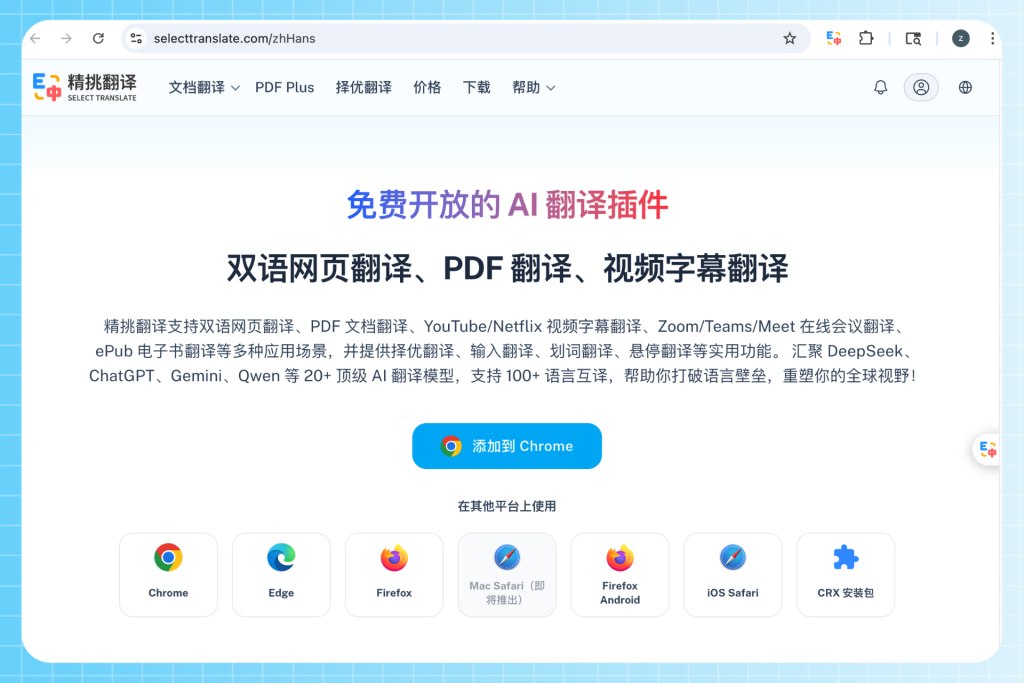
However, SelectTranslate, an AI-driven cross-language translation browser extension, perfectly solves many pain points of R&D personnel in their daily work with its innovative positioning as an “AI bilingual information layer,” making it a must-have English web translation tool for developers.
What are the unbearable pain points of traditional translation tools when programmers read English technical documentation and GitHub?
In real-world daily development scenarios, traditional full-page replacement translation usually leads to a complete loss of original context, making English-to-Chinese comparison extremely difficult. It even translates code blocks, Linux terminal commands, and variable names in web pages into Chinese by mistake, seriously affecting direct code copying and logical understanding.
At the same time, when we read highly difficult academic papers in the AI field or overseas technical PDF documents, issues like two-column layout misalignment, mathematical formula recognition failure, and completely ruined formatting are all too common.
Not to mention the awkwardness of encountering missing subtitles, single-language subtitles, or the inability to translate in real time when watching cutting-edge overseas tech presentations on YouTube or Netflix. Furthermore, when asking questions or writing Issues on social and collaboration platforms like Reddit, X (Twitter), Gmail, and Discord, users have to frequently copy and paste back and forth between translation software and chat boxes, resulting in extremely low output efficiency.
Why can SelectTranslate become a must-have English web translation tool for programmers?
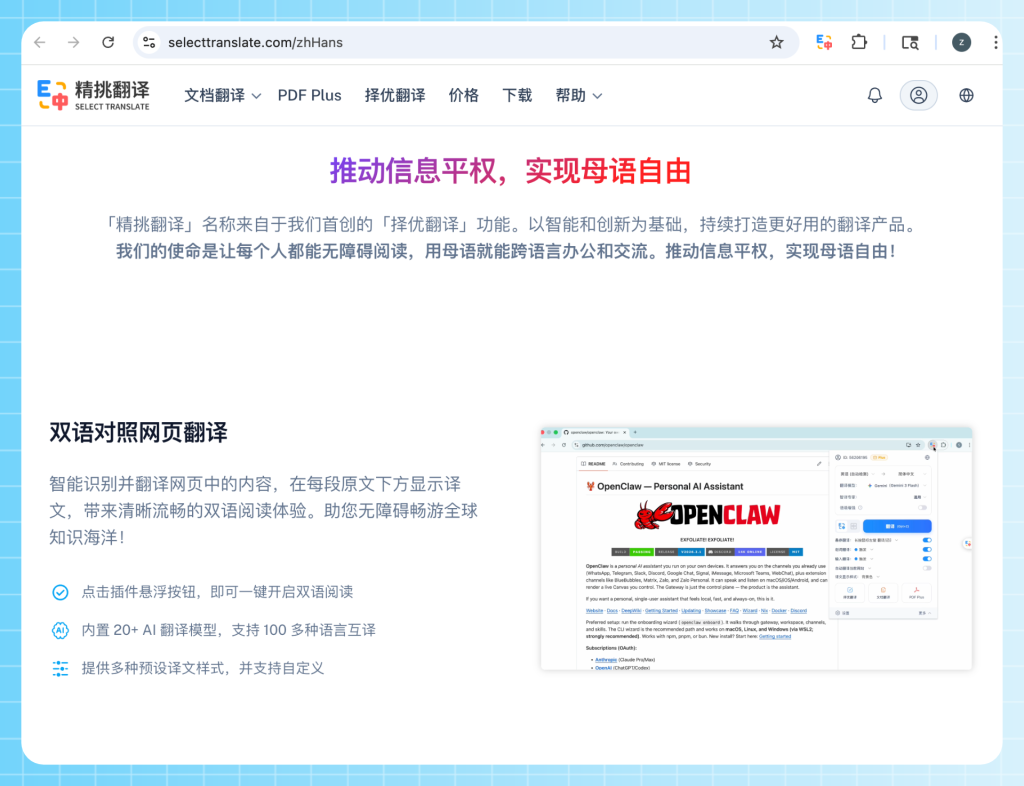
The core goal of SelectTranslate is not simply to “translate text,” but to build an immersive bilingual reading experience, allowing technical personnel to seamlessly acquire global front-end technology information without switching languages.
It not only perfectly covers foreign web page reading, PDF academic literature, video, and meeting subtitles, but also enables real-time input box translation.
Its unique “Translation Expert” feature can precisely identify industry terminology and restore authentic context, truly returning translation to technical professionalism and fundamentally changing the way developers obtain first-hand overseas technical information.
How to use SelectTranslate to achieve highly efficient bilingual side-by-side reading when studying official English documentation?
To address the fragmented reading experience caused by traditional tools’ web translation, this plugin provides three minimalist ways to get things done:
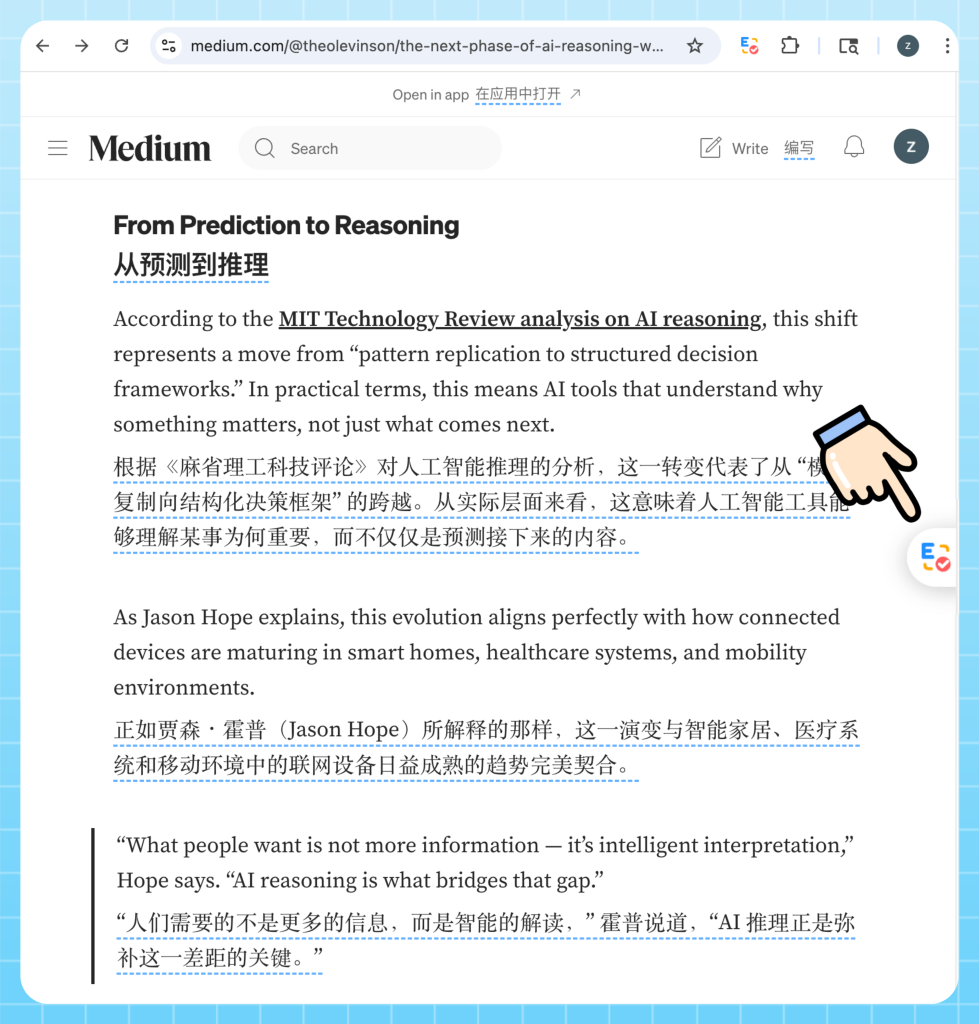
- 1. One-click translation via the plugin panel: Quickly launch web translation during your first use or when modifying settings by clicking the plugin icon in the browser extension bar.
- 2. Quick translation via the floating button: A floating action button appears on the right side of the webpage—click it to immediately translate the current page, offering the shortest operational path for high-frequency reading scenarios.
- 3. Right-click menu translation: Right-click anywhere on the webpage to select “Translate to designated language” or “Restore current page,” which is ideal for temporary translations or quick language switching.
This low-disturbance and highly customizable bilingual side-by-side translation method allows you to easily customize top-down or left-right layouts, fonts, display formats, and shortcut keys. It perfectly preserves the original appearance of code blocks while significantly boosting the reading efficiency of long technical blogs.
How to achieve real-time synchronization of bilingual subtitles when watching overseas tech launches or participating in cross-border remote technical meetings?
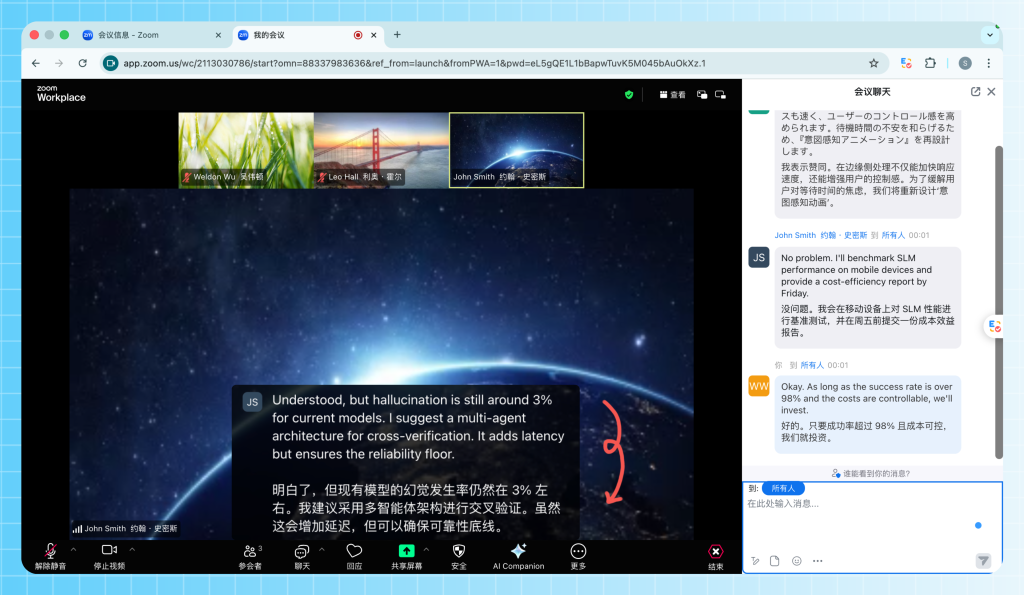
Programmers need to constantly stay sensitive to cutting-edge technologies. SelectTranslate already supports video subtitle translation for over 30 mainstream online video platforms, including YouTube, Netflix, Disney+, and TED. It not only displays bilingual subtitles in real time but can also use AI to automatically generate subtitles for videos that don’t have them.
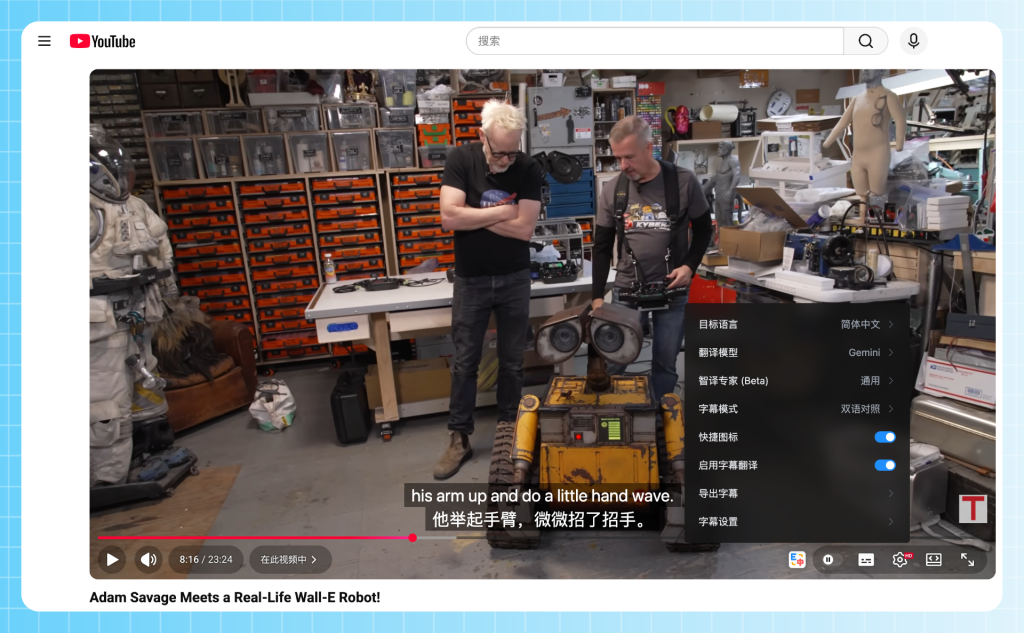
Even more powerful, it extends this capability to online meeting translation scenarios, supporting real-time speech-to-subtitle conversion and cross-language communication on platforms like Zoom, Google Meet, and Microsoft Teams. This helps developers in multinational teams and remote offices completely break free from the frustration of not understanding or falling behind, solving the “real-time comprehension problem” in technical communication.
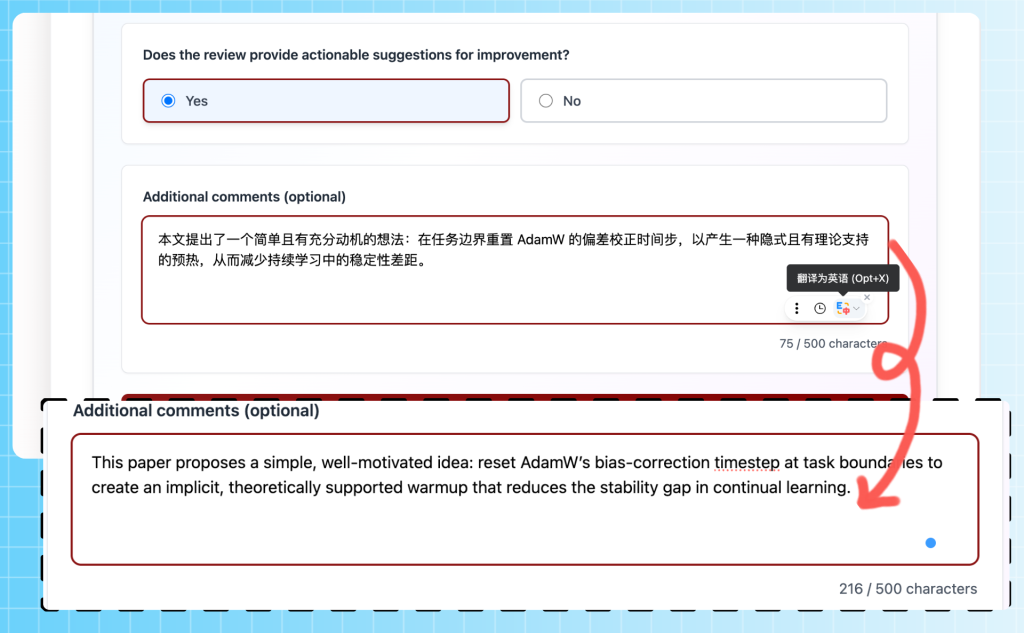
How to use the input translation feature to directly output idiomatic English when writing Issues on GitHub or communicating on Discord?
To completely transform how technical content is output, its input box translation feature allows you to type Chinese in any webpage input box and automatically convert it into the target language by simply clicking the icon or using a shortcut key.
Two modes are available:
- Selection Translation Mode (Recommended): It invokes multiple large models simultaneously, automatically scores them, and recommends the best result. This is highly suitable for writing official GitHub Issues, open-source project documentation, code comments, or English emails.
- Fast Translation Mode: It responds via a single model, drastically improving your efficiency when communicating instantly with overseas developers on Discord, X, or Reddit, truly turning translation into a seamless part of coding and daily input.
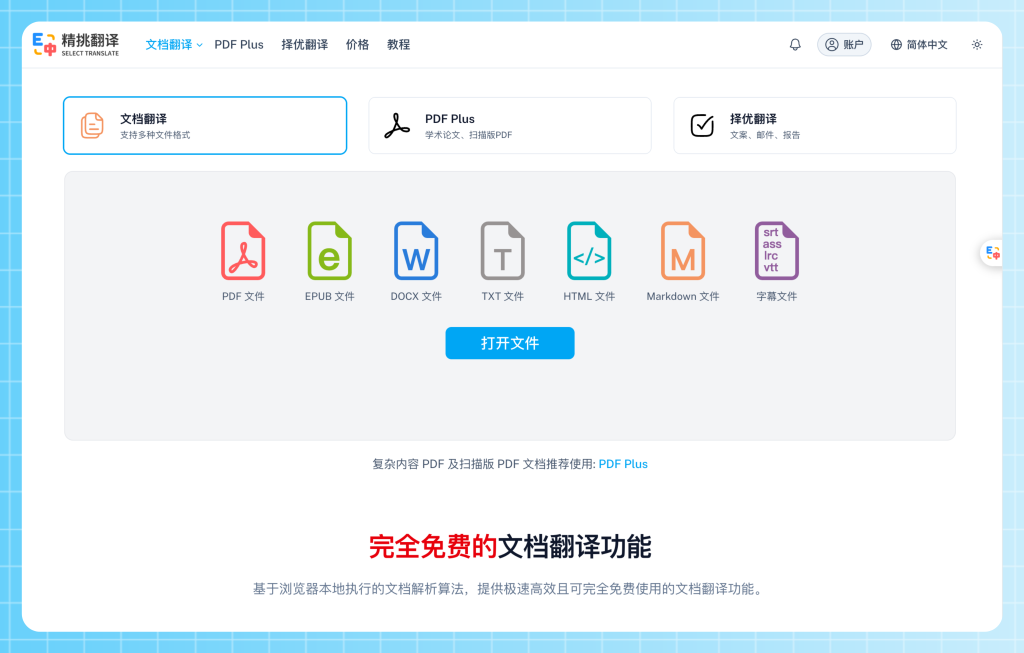
How to perfectly translate complex AI academic papers, scanned PDFs, or technical documents with mathematical formulas?
Aiming at the pain point of hardcore documents where formatting easily breaks, SelectTranslate provides a full-coverage PDF document translation solution.
- Free Document Translation: For everyday plain text PDFs, you can use this simple and ultra-fast feature, which is perfect for routine reading needs.
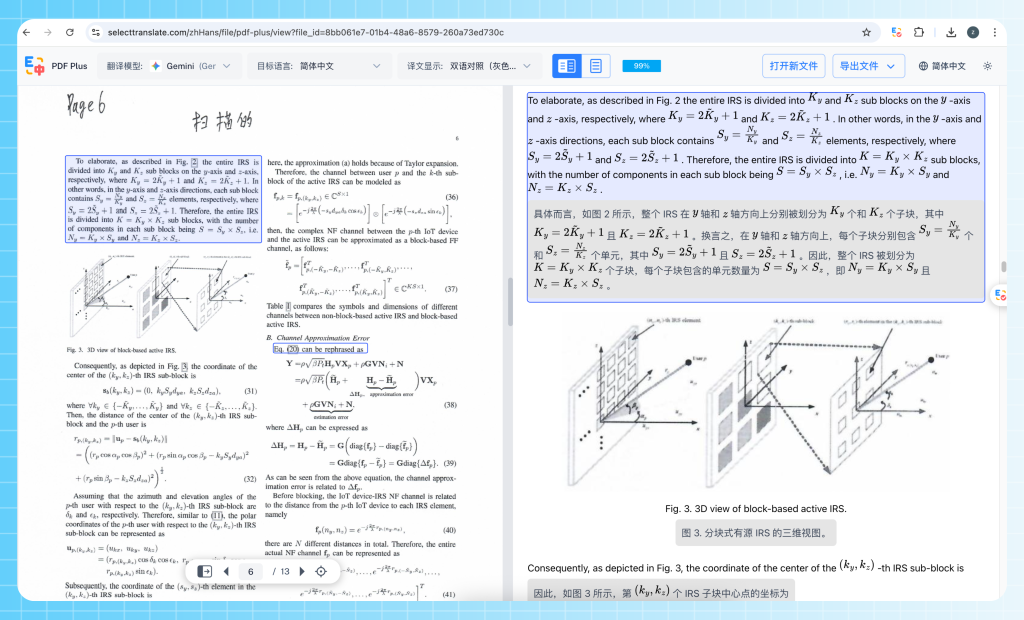
- PDF Plus Translation (Advanced): For academic papers containing massive complex formulas, two-column layouts, or scanned versions, you can activate this advanced feature launched jointly with MinerU. It supports powerful OCR recognition and complex formula parsing, generously providing users with a free parsing quota of up to 300 pages per day (and up to 1000 pages for premium members). It perfectly retains the layout structure of the original document, serving as an ultimate tool for conquering top conference papers.
How do SelectTranslate’s selection translation, inline translation, and hover translation help programmers with source code deep-reading and technical learning?
When deep-reading source code comments or professional technical articles, its core technology—the selection translation mechanism—can act as a quality control system by invoking multiple models to translate sentence-by-sentence and explaining the scoring logic.
At the same time, through the Inline Translation feature, programmers can select text to instantly view the original text and its translation, alongside fine-grained word analysis like phonetic symbols, pronunciation, and example sentences, making it perfect for learning rare computer science vocabulary.
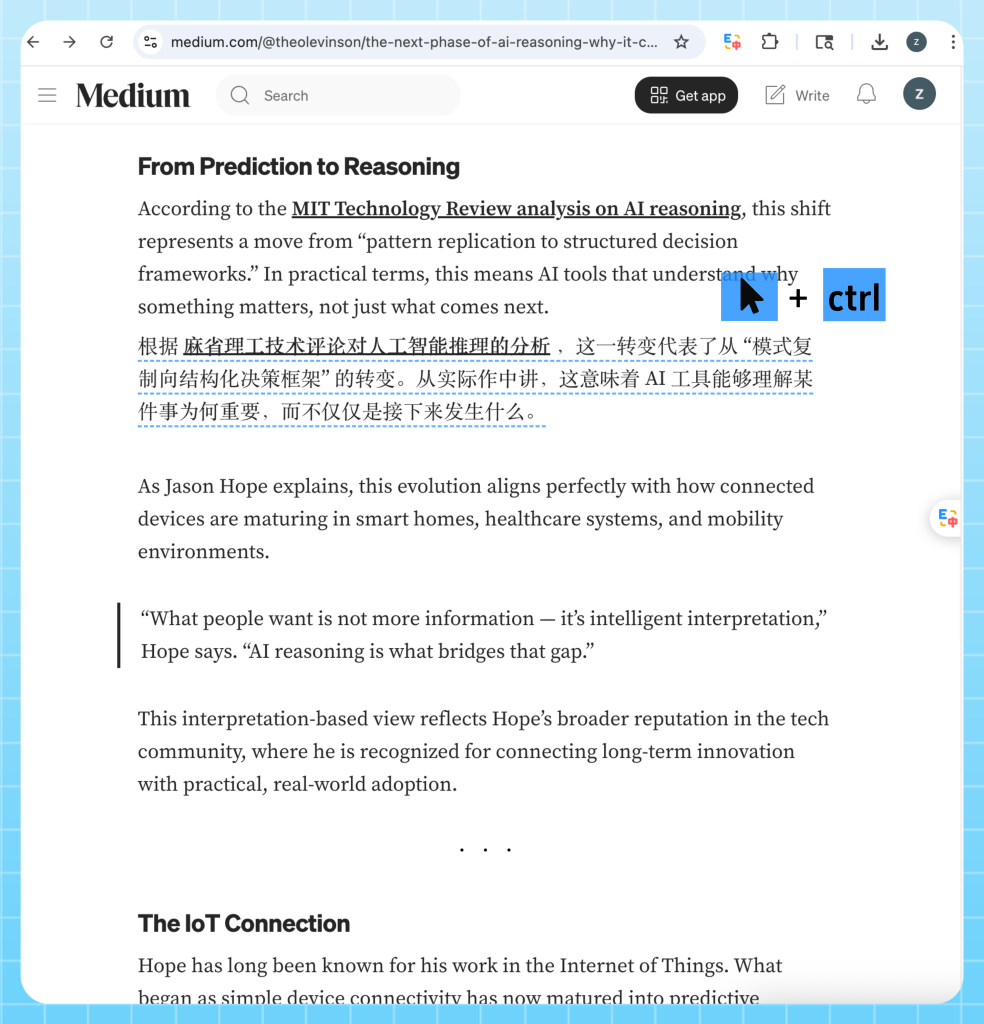
Furthermore, Hover Translation allows users to simply hover the mouse over a paragraph and press a shortcut key to automatically display the translation right after the original text, enabling an immersive reading flow without breaking one’s train of thought. This ensures it is no longer just a simple translation tool, but a true cross-language content production tool essential for R&D personnel.
FAQ
- Q: What is the difference between SelectTranslate and Google Translate when reading technical documents?
- A: Google Translate focuses on single-sentence replacement translation, which easily disrupts webpage code structures. SelectTranslate provides bilingual side-by-side reading and specialized terminology recognition, making it much better for programmers to deep-read technical content.
- Q: Can SelectTranslate perfectly translate AI paper PDFs containing formulas?
- A: Yes, it supports both ordinary PDFs and scanned PDFs, achieving powerful OCR parsing and complex formula layout restoration through the advanced PDF Plus feature in partnership with MinerU.
- Q: Does it support real-time translation directly inside GitHub Issue input boxes or Discord?
- A: Yes, it features real-time input box translation capabilities. After typing Chinese, you can press a shortcut key to automatically choose the best translation and output idiomatic English.
- Q: Can I use it to translate developer conferences like Google I/O or WWDC on YouTube?
- A: Yes, it supports video subtitle translation for over 30 platforms including YouTube and Netflix. Even for videos without subtitles, AI can automatically generate real-time bilingual subtitles.
- Q: Does it support real-time meeting subtitle translation for multinational remote teams?
- A: Yes, it fully covers real-time speech-to-bilingual subtitle translation for mainstream online meeting platforms such as Zoom, Teams, and Google Meet.