Foreign Steam Games, Understand at a Click
After installing the extension, you can translate the Steam Store, community, discussion boards, Workshop, and reviews in real time, making foreign games instantly accessible.
1. Install SelectTranslate in Steam via CRX File (Video tutorial)
2. Install SelectTranslate in Steam via CRX File (Illustrated tutorial)
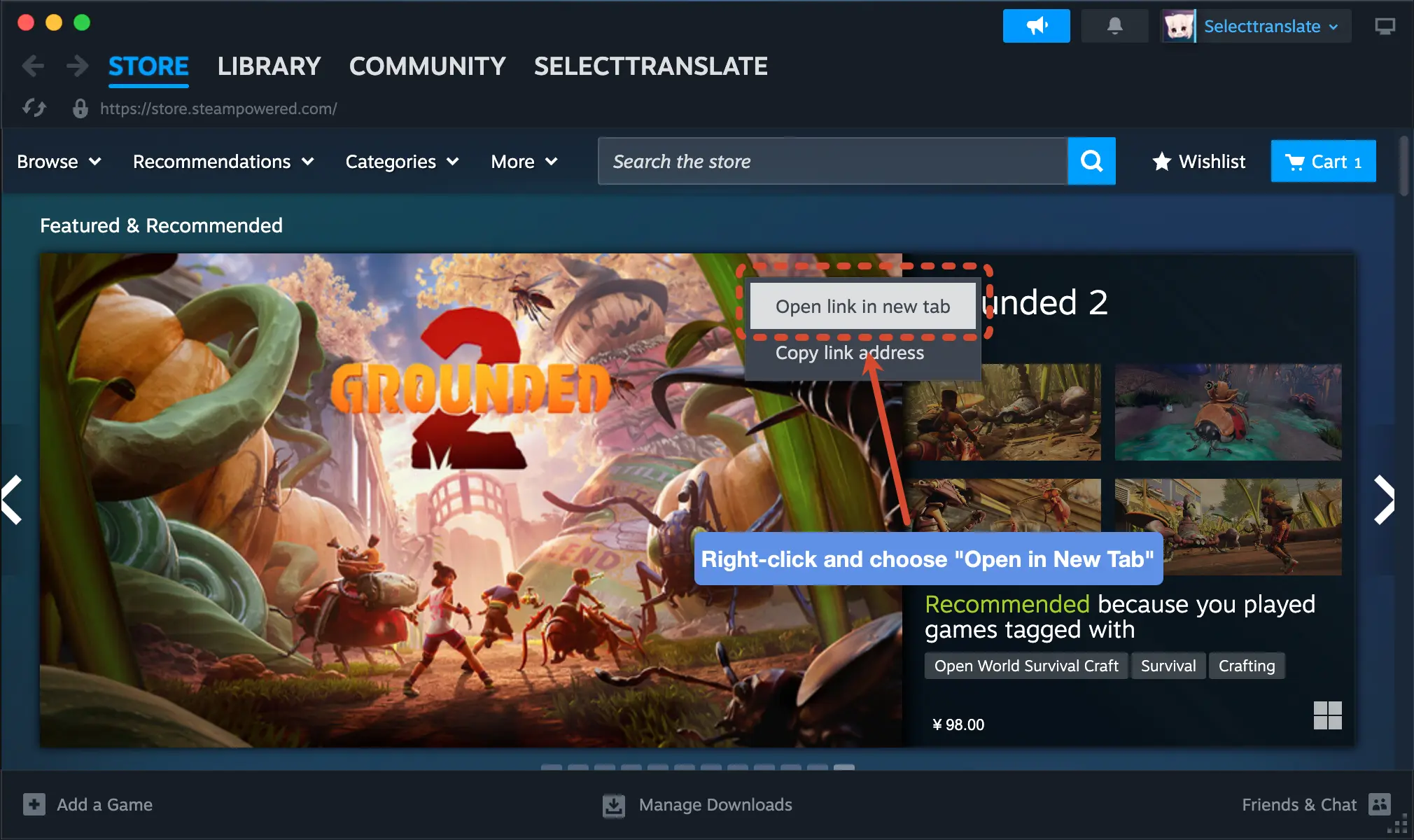
2.1 Right-click anywhere in Steam and choose "Open in New Tab".
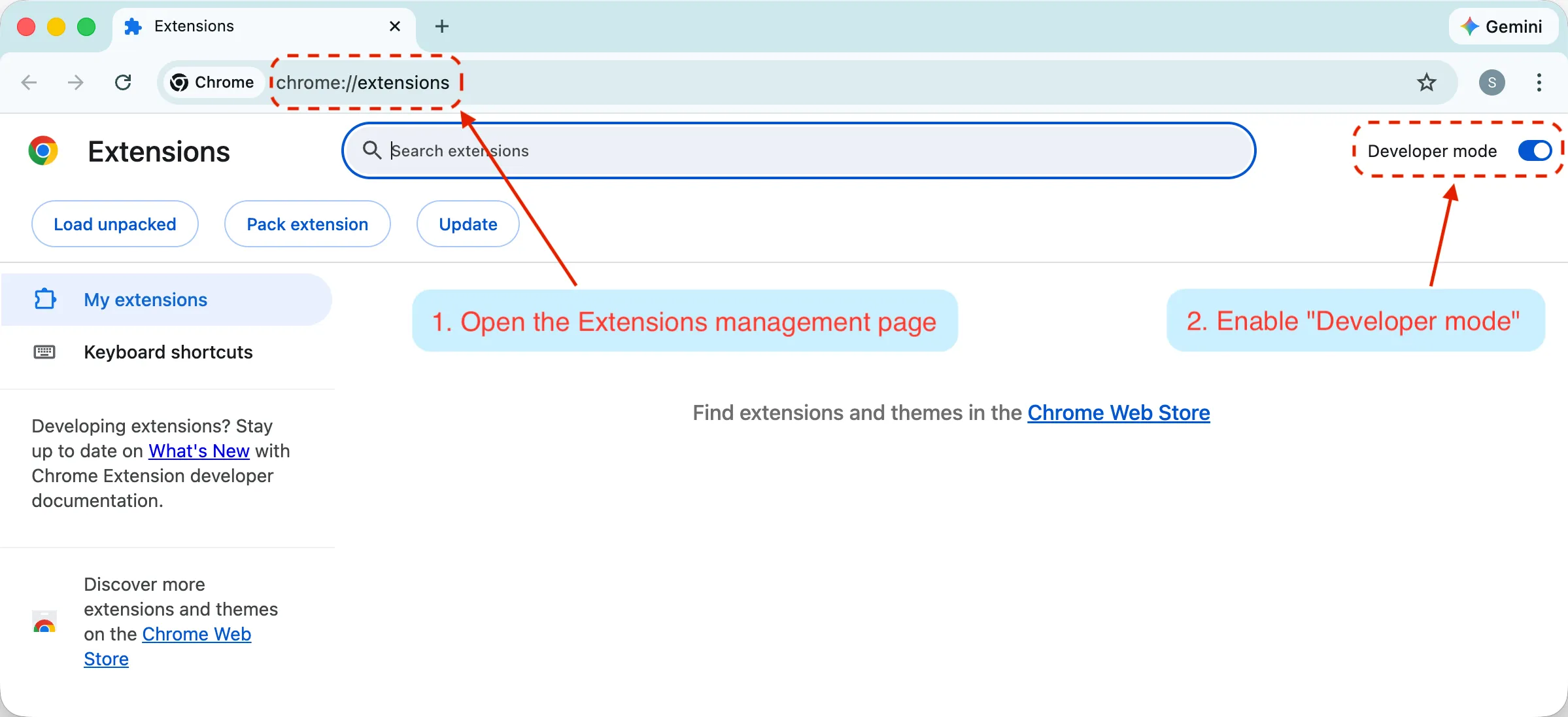
2.2 Enter "chrome://extensions" in the new tab address bar and press Enter to access the Extensions page, then enable "Developer mode".
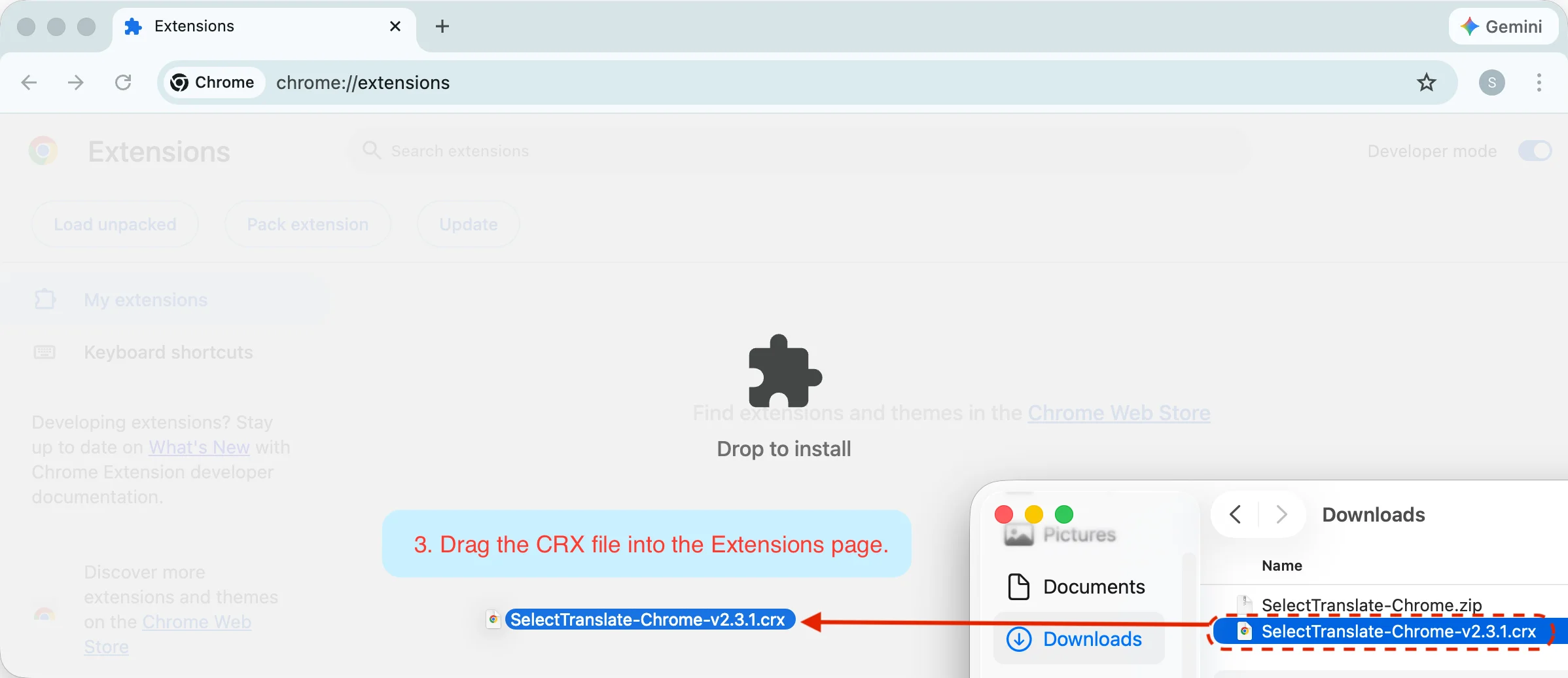
2.3 Drag the CRX file into the Extensions page.
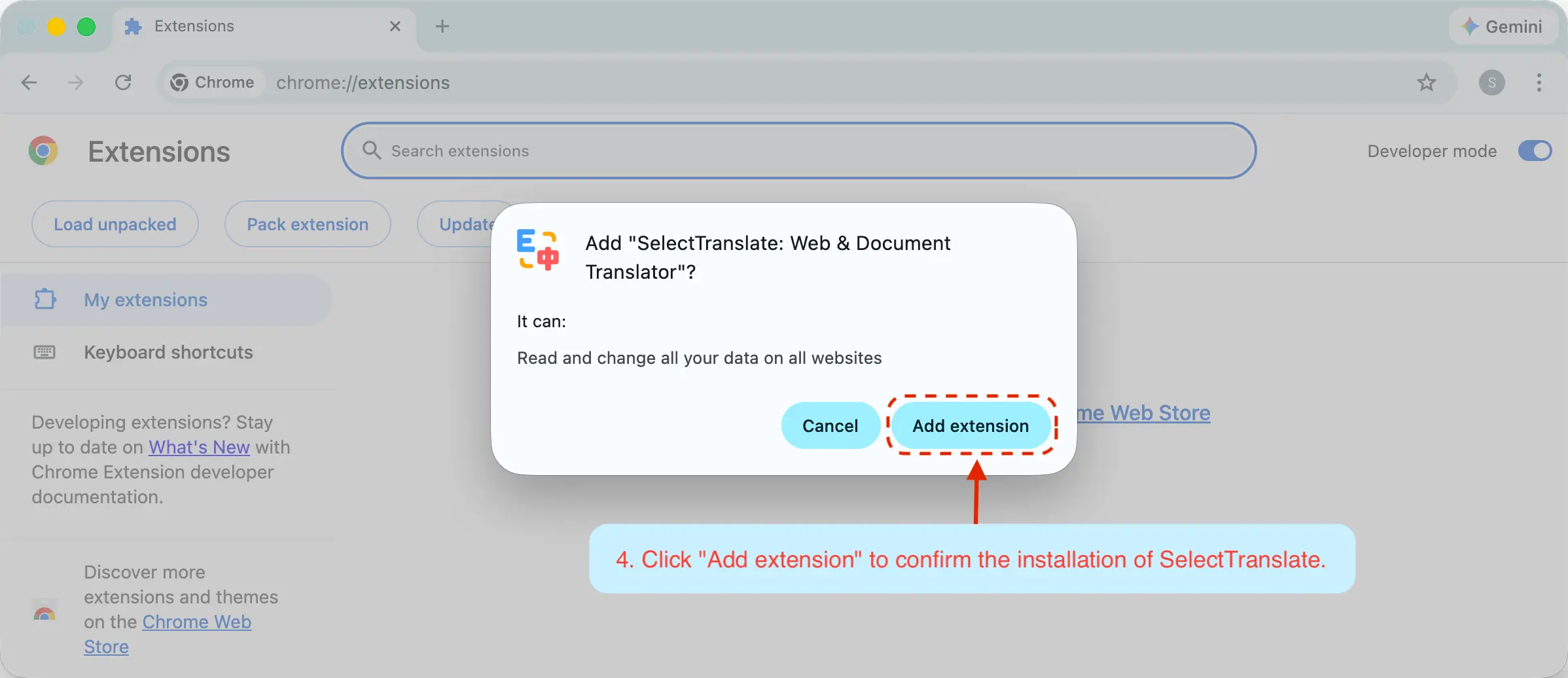
2.4 Click the "Add extension" button to confirm the installation.