
The internet has made it easier than ever to access high-quality content from around the world. Whether you’re streaming the latest Netflix series, watching exclusive documentaries on Disney+, or taking professional courses on Udemy and Coursera, some of the world’s best educational and entertainment content is now just a click away.
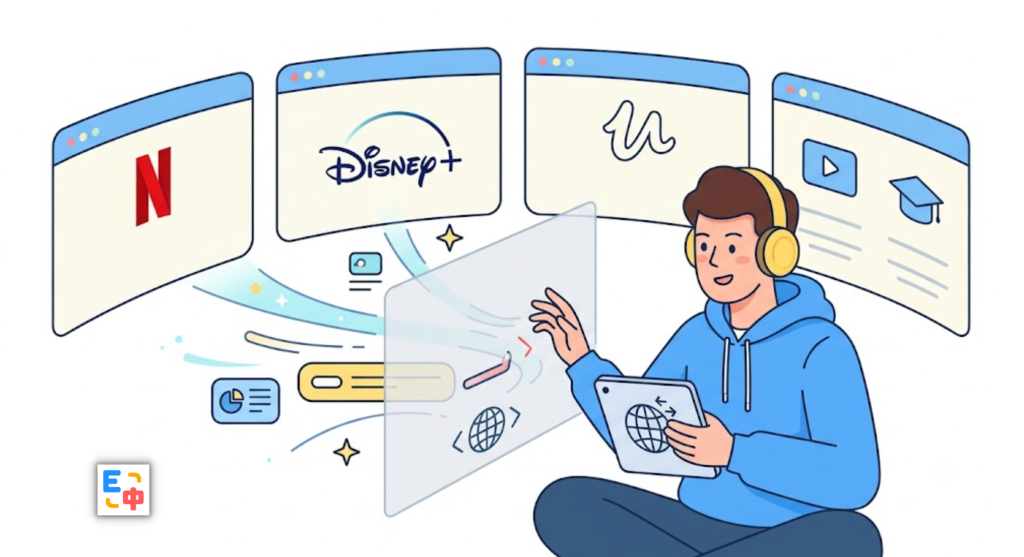
However, language remains one of the biggest barriers for millions of people.
Many international streaming platforms provide only English subtitles, while others may not offer subtitles in your native language at all. Even if you’re comfortable reading English, understanding fast-paced conversations, technical terminology, slang, or different accents can still be challenging. As a result, many viewers constantly pause videos, look up unfamiliar phrases, switch between translation tools, and lose the natural flow of watching.
This is exactly why more people are searching for a free translation extension that offers bilingual video subtitle translation, allowing them to enjoy videos while understanding every line without interrupting their experience.
SelectTranslate was built to solve this problem.
Why Bilingual Video Subtitle Translation Matters More Than Ever
Video has become the primary way people learn, work, and stay informed. Developers watch programming tutorials on YouTube, students take online courses on Udemy and Coursera, professionals attend recorded conferences, and movie lovers enjoy international films and TV series on Netflix and Disney+.
Regardless of the platform, users share the same goal: understanding content without language slowing them down.
Traditional subtitles often force viewers to choose between their native language and the original language. Native-language subtitles make videos easier to follow but reduce language exposure, while original subtitles improve language learning but can make videos difficult to understand.
Bilingual subtitles combine the best of both worlds by displaying the original dialogue alongside an accurate translation, making it easier to understand context, improve listening skills, and naturally learn vocabulary while watching.
This is why bilingual video subtitle translation has become one of the most requested features for language learners, international professionals, students, and anyone who regularly consumes global content.
The Common Problems with Traditional Video Translation Tools
Many people initially rely on online translators or browser tabs to translate subtitles manually. In practice, however, this quickly becomes frustrating.
Every unfamiliar sentence requires pausing the video, copying text, opening another translation tool, pasting the content, reading the translation, and returning to the video. Even a short 20-minute lesson can require dozens of interruptions.
Another issue is translation quality. Many traditional translators process subtitles sentence by sentence without understanding the surrounding context. Technical courses, business presentations, documentaries, and TV shows often include industry-specific terminology, idioms, or conversational expressions that become awkward or inaccurate when translated literally.
Perhaps the biggest limitation is that many streaming platforms only allow one subtitle language at a time. Users must choose between understanding the content or learning the language, rather than enjoying both simultaneously.
SelectTranslate: A Free Translation Extension Designed for Video
SelectTranslate is an AI-powered browser extension built for multilingual browsing across websites, documents, images, and online videos. Among its most popular features is bilingual video subtitle translation, designed specifically for international streaming platforms and online learning websites.
After installing the extension, users can enable bilingual subtitles directly while watching videos. There is no need to download videos, extract subtitle files, or switch between different translation tools.
The subtitles appear alongside the original dialogue in real time, creating a smooth and immersive viewing experience that helps users stay focused on the content instead of the language barrier.

Watch Netflix, Disney+, Udemy, and More with Bilingual Subtitles
SelectTranslate supports subtitle translation across a growing number of popular video platforms, including Netflix, Disney+, Udemy, Coursera, YouTube, TED, Vimeo, Bilibili, and X (formerly Twitter) videos.
Whether you’re watching programming tutorials, business courses, academic lectures, documentaries, anime, Hollywood movies, or international TV series, you can enjoy the same bilingual subtitle experience without changing your workflow.
Instead of installing separate extensions for different platforms, one browser extension provides a consistent translation experience across multiple websites.
AI-Powered Subtitle Translation That Understands Context
Unlike traditional machine translation, SelectTranslate uses advanced AI models capable of understanding context rather than translating each sentence in isolation.
This produces more natural translations for technical tutorials, software documentation, academic lectures, business presentations, movies, and everyday conversations. Industry terminology, idiomatic expressions, and spoken language are translated more accurately, helping viewers understand not only individual words but the overall meaning of the conversation.
The result is subtitles that feel natural, readable, and significantly more useful than simple literal translations.
Learn a Language While Watching Videos
Bilingual subtitles are more than just a convenience—they’re an effective language-learning tool.
Seeing the original subtitle and the translated version together allows learners to understand grammar, sentence structure, and vocabulary in real-world contexts. Instead of memorizing isolated words, users naturally associate new expressions with authentic conversations.
Many language learners use Netflix, YouTube, and online courses as daily study materials. With bilingual subtitles, every video becomes an opportunity to improve listening comprehension, expand vocabulary, and build confidence in a foreign language.
Learning becomes part of your entertainment instead of a separate task.
More Than a Video Subtitle Translator
While bilingual video subtitle translation is one of its standout features, SelectTranslate is designed to support nearly every multilingual workflow.
In addition to video translation, the extension also offers bilingual webpage translation, PDF document translation, PDF Plus for scanned files and complex layouts, image translation, text input translation, selection translation, hover translation, and live meeting subtitle translation.
Whether you’re reading international news, browsing GitHub documentation, translating research papers, participating in online meetings, or streaming global content, SelectTranslate provides a unified AI translation experience without requiring multiple tools.
Conclusion
As more knowledge, education, and entertainment move onto platforms like Netflix, Disney+, Udemy, and YouTube, language should never prevent people from accessing the world’s best content.
If you’re looking for a free translation extension that delivers accurate bilingual video subtitle translation, supports major streaming platforms, and helps you understand videos while improving your language skills, SelectTranslate is an excellent choice.
Instead of constantly switching between translation websites and video players, you can simply watch, understand, and learn—all in one seamless experience powered by AI.
Frequently Asked Questions
What websites support bilingual video subtitle translation?
SelectTranslate currently supports subtitle translation on popular platforms including Netflix, Disney+, Udemy, Coursera, YouTube, TED, Vimeo, Bilibili, and X (formerly Twitter), with support for additional platforms continuously being added.
Is SelectTranslate a free translation extension?
Yes. SelectTranslate offers free core translation features, including webpage translation and bilingual video subtitle translation, making it suitable for everyday use. A Plus plan is also available for users who need higher usage limits and additional premium features.
Which languages are supported?
SelectTranslate supports translation between more than 100 languages, including English, Spanish, French, German, Japanese, Korean, Portuguese, Italian, Russian, Arabic, and many more.
Will bilingual subtitles affect video playback?
No. Bilingual subtitles are displayed alongside the original subtitles without interrupting playback, allowing you to watch videos naturally while understanding every conversation.
Why choose SelectTranslate for bilingual video subtitle translation?
SelectTranslate combines advanced AI translation with support for multiple streaming platforms, delivering accurate bilingual subtitles that preserve context and readability. Beyond video translation, it also provides webpage translation, PDF translation, image translation, and live meeting subtitle translation, making it a complete AI translation solution for learning, work, and entertainment.
Download: https://selecttranslate.com