
Whether you’re building apps, contributing to open source, or exploring the latest AI tools, chances are the documentation you rely on is written in a foreign language.
For many developers, the biggest productivity bottleneck isn’t writing code—it’s reading documentation.
From official API docs and GitHub repositories to Stack Overflow discussions, RFCs, and research papers, the best technical resources are usually published in a foreign language first.
The problem isn’t just understanding the language. It’s finding a translation tool that doesn’t interrupt your workflow.
Many developers run into the same issues:
Browser translation breaks page layouts.
Traditional translators only translate the whole page, making it hard to compare with the original.
Technical terms, API names, and code snippets are translated inconsistently.
GitHub READMEs and Markdown files become difficult to read.
PDF documentation loses formatting.
Video tutorials and conference talks often don’t have subtitles in your native language.
That’s why more developers are switching to AI-powered translation tools designed specifically for technical content.
In this article, we’ll explore the most common translation challenges developers face and how SelectTranslate helps make reading technical content faster, easier, and more accurate.
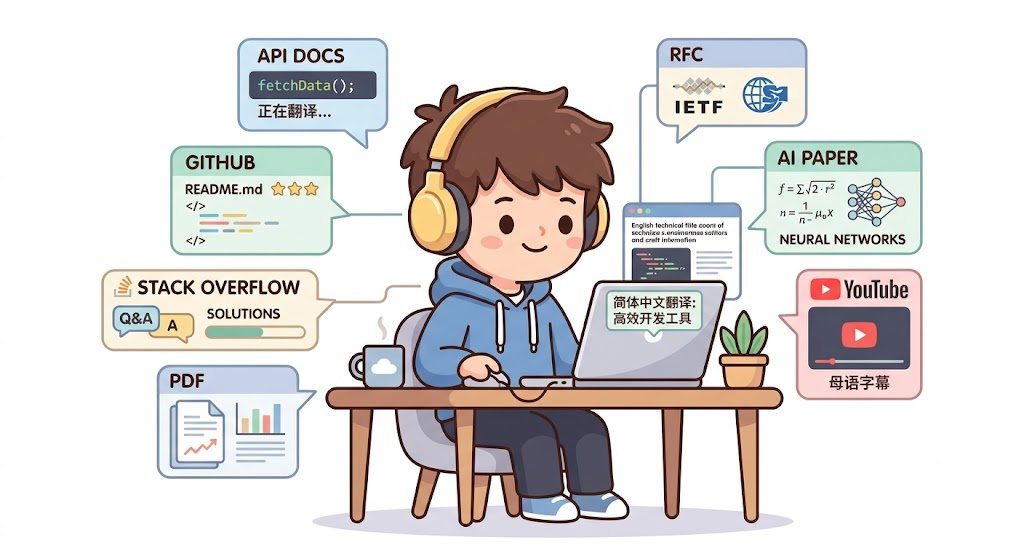
Why Developers Need an AI Translation Tool More Than Ever
Software development is largely about consuming information.
On any given day, developers spend hours reading:
Official documentation
GitHub repositories
Issues and Pull Requests
Stack Overflow discussions
AI model documentation
Technical blogs
Research papers
Product manuals
YouTube tutorials
International online conferences
Even if you’re comfortable reading a foreign language, constantly switching between your browser and a translation website quickly breaks your focus.
The ideal experience is simple:
Understand content instantly without leaving the page you’re reading.
That’s exactly why browser-based AI translation tools have become an essential part of many developers’ workflows.
Six Common Translation Scenarios for Developers
Reading Official API Documentation
Most programming frameworks and cloud platforms publish documentation in a foreign language before localized versions are available.
Examples include:
OpenAI API
Anthropic API
Google AI
Cloudflare
Vercel
React
Vue
Next.js
FastAPI
When reading API documentation, developers want to avoid:
Code blocks being translated
Broken JSON formatting
Modified parameter names
Inconsistent technical terminology
SelectTranslate provides bilingual webpage translation, displaying translated text directly beneath the original while preserving page structure, code formatting, and copy-paste functionality.
Reading GitHub Projects
Most open-source projects on GitHub include documentation such as:
README files
Installation guides
Configuration instructions
Release notes
Issues
Discussions
Wikis
Traditional webpage translators often disrupt Markdown formatting and make technical documents harder to follow.
With SelectTranslate, you can read both the original and translated versions side by side, making it easier to understand complex concepts while naturally improving your technical vocabulary.
If GitHub is part of your daily workflow, this can save a significant amount of time.
Reading Technical PDF Documents
Many important technical resources are distributed as PDFs, including:
RFCs
White papers
SDK documentation
AI research papers
Product manuals
Standard PDF translators often struggle with:
Multi-column layouts
Images and diagrams
Mathematical formulas
OCR accuracy
SelectTranslate’s PDF Plus is optimized for complex PDF documents, preserving document structure and making technical reading much more comfortable.
Watching Technical Videos
Many developers learn through platforms like YouTube, watching content about:
Artificial Intelligence
Programming
System Design
DevOps
Cloud Computing
Cybersecurity
However, many videos:
Don’t include subtitles in your native language.
Only provide auto-generated captions.
Translate technical terminology poorly.
SelectTranslate uses AI-powered subtitle translation to make technical videos easier to follow, helping you learn more efficiently.
Following Global Tech Communities
Some of the fastest-moving discussions in tech happen on platforms like:
Reddit
Hacker News
Dev.to
Medium
Product Hunt
X (formerly Twitter)
New AI tools, programming techniques, open-source projects, and industry trends often appear there long before they’re discussed elsewhere.
Instead of copying text into another translator, SelectTranslate lets you read everything directly in your browser with bilingual translation.
Collaborating with International Teams
Remote work has become the norm for many engineering teams.
Developers frequently attend meetings on platforms such as:
Zoom
Google Meet
Microsoft Teams
When conversations happen in a foreign language, keeping up with technical discussions can be challenging.
SelectTranslate provides real-time AI subtitle translation for online meetings, making international collaboration much easier.
Why Traditional Translation Tools Aren’t Enough for Developers
Developers need more than basic translation.
They need tools that can:
Preserve code formatting
Keep Markdown intact
Maintain webpage layouts
Support bilingual reading
Translate PDF documents
Translate video subtitles
Keep technical terminology consistent
Leverage advanced AI models for higher translation quality
Most traditional translation tools only solve one or two of these problems.
Modern software development involves information from many different sources, so developers need a translation solution that works everywhere—not just on web pages.
How SelectTranslate Improves Developer Productivity
SelectTranslate is designed as a technical reading assistant, not just another translation tool.
Key features include:
Bilingual Webpage Translation
Read translated content directly below the original text while preserving the webpage’s layout and formatting.
AI-Powered Best Translation
SelectTranslate can compare results from multiple AI models and choose the highest-quality translation, especially for technical content.
Custom Termbase
Create your own glossary for specialized terminology such as:
Token
Context Window
Embedding
Vector Database
Agent
Middleware
This keeps translations consistent across documents and projects.
PDF Translation
Read complex technical PDFs, research papers, and product documentation with preserved formatting.
AI Video Subtitle Translation
Translate subtitles for technical courses, tutorials, and conference videos.
Live Meeting Subtitle Translation
Understand multilingual meetings with real-time AI subtitle translation.
Who Should Use SelectTranslate?
SelectTranslate is especially useful if you’re one of the following:
AI Developers
Frontend Developers
Backend Developers
Full-Stack Developers
Mobile Developers
DevOps Engineers
Cloud Engineers
Data Scientists
Machine Learning Engineers
Cybersecurity Professionals
Indie Hackers
Open Source Contributors
Technical Writers
Product Managers
Startup Teams
If you regularly read technical documentation, browse GitHub, learn from international content, or collaborate with global teams, SelectTranslate can help you access information faster while keeping your workflow uninterrupted.
Frequently Asked Questions
What makes a good AI translation tool for developers?
A developer-friendly translation tool should preserve code formatting, Markdown structure, webpage layouts, and technical terminology while supporting bilingual reading, PDF translation, video subtitles, and online meetings.
Why is bilingual translation useful when reading GitHub?
Seeing both the original text and the translation makes it easier to understand technical concepts, verify terminology, and gradually build confidence reading documentation in a foreign language.
Will AI translation affect my code?
A high-quality technical translation tool keeps code blocks, API names, variables, JSON, and configuration files unchanged, ensuring they’re safe to read, copy, and use.
What developer workflows does SelectTranslate support?
SelectTranslate supports bilingual webpage translation, GitHub repositories, API documentation, PDF translation, video subtitle translation, live meeting subtitle translation, selection translation, hover translation, input translation, and custom terminology management, covering nearly every technical reading scenario.
Final Thoughts
As AI, open-source software, and global collaboration continue to grow, the world’s best technical knowledge will increasingly be published in a foreign language first.
For developers, accessing that knowledge quickly is no longer optional—it’s a competitive advantage.
Instead of relying on traditional translation tools that interrupt your workflow, SelectTranslate is built specifically for technical reading. With bilingual webpage translation, AI-powered translation, a customizable termbase, PDF translation, video subtitle translation, and live meeting subtitle translation, it helps you understand global technical content without leaving the page you’re on.
If you spend your day reading documentation, exploring GitHub, watching technical courses, or collaborating with international teams, SelectTranslate can help you learn faster, work more efficiently, and stay connected to the latest developments in technology.