
In today’s increasingly connected world, documents have become one of the most important ways to access global knowledge, conduct research, collaborate internationally, and communicate across languages.
From academic papers and technical reports to business contracts, product manuals, ebooks, and industry research documents, a large amount of valuable information is now shared in PDF format.
However, translating PDF documents has always been challenging for many users.
Traditional PDF translation tools often provide only basic text conversion, but they struggle with real-world documents. Issues such as broken layouts, missing text from images, incorrect table formatting, and inaccurate professional terminology are common, especially when translating academic papers, technical documents, and business files where structure and accuracy matter.
Another major problem is cost. Many professional PDF translation services charge based on page numbers, file size, or word count. For students, researchers, developers, and professionals who frequently work with international documents, these costs can quickly become expensive.
Because of these challenges, more users are searching for a truly free PDF translation tool that can do more than simple translation. They need a solution that supports multiple document formats, keeps the original reading experience, allows further editing, and provides accurate bilingual comparison.
That is why SelectTranslate was created.
As a recommended completely free PDF document translation tool, SelectTranslate helps users translate PDF files and other document formats with AI-powered translation technology. It supports post-translation editing, bilingual comparison, and multiple file formats, making it easier for users worldwide to access and understand global information.
SelectTranslate: A Recommended Completely Free PDF Document Translation Tool
SelectTranslate is an AI-powered translation assistant designed to help users overcome language barriers in everyday digital life.
It supports multiple translation scenarios, including:
- Document translation
- Webpage translation
- Video subtitle translation
- Online meeting subtitle translation
- Text selection translation
For document translation, SelectTranslate focuses on solving the biggest challenges users face when working with PDF files.
With SelectTranslate, users can:
- Translate PDF documents completely free of charge;
- Upload and translate different types of documents in one place;
- Edit translated content after translation;
- Compare original text and translated text side by side;
- Use AI-powered translation to improve readability and accuracy.
Whether you are reading academic research, learning from international resources, analyzing business documents, or exploring technical content, SelectTranslate helps you access information without language limitations.
What Document Formats Does SelectTranslate Support?
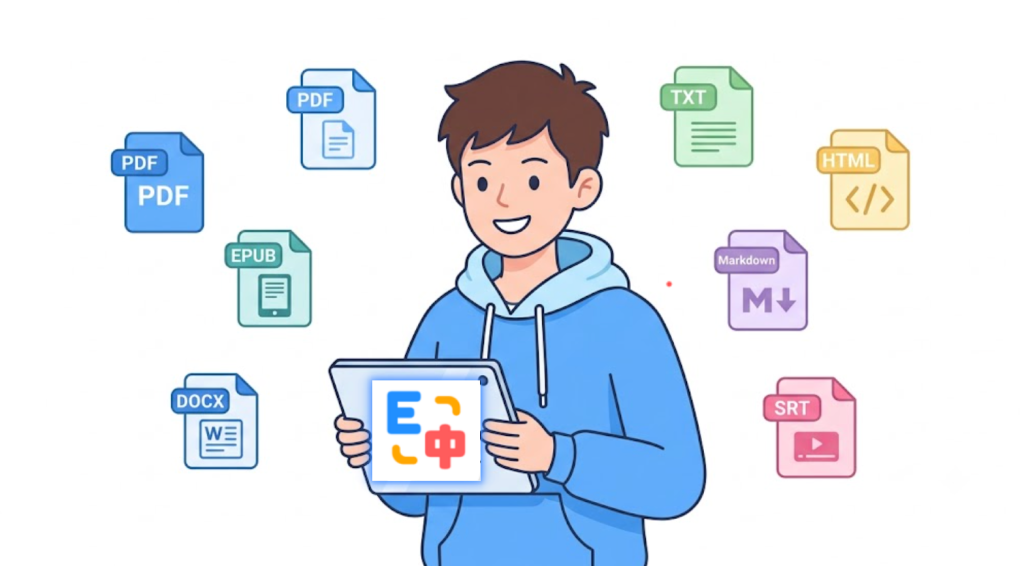
To meet the needs of different users, SelectTranslate supports a wide range of commonly used document formats.
Supported document formats include:
1. PDF Files
PDF is one of the most widely used document formats worldwide and is the primary format supported by SelectTranslate.
Users can translate:
- Academic research papers;
- Scientific articles;
- Industry reports;
- Business contracts;
- Product manuals;
- Technical whitepapers;
- Digital textbooks.
Whether you are translating a simple PDF document or a professional file with complex formatting, SelectTranslate helps you quickly understand the content while maintaining a better reading experience.
2. EPUB Files
EPUB is a popular ebook format widely used for digital books, educational materials, and online publications.
With SelectTranslate, users can directly translate EPUB files without converting them into other formats first.
This makes it easier to read:
- Foreign language ebooks;
- Online learning materials;
- Professional books;
- Research publications.
3. DOCX Files
DOCX is one of the most common document formats used in offices and businesses.
SelectTranslate supports DOCX document translation, making it suitable for:
- Business documents;
- Project proposals;
- Reports;
- Marketing materials;
- Draft agreements.
Users can quickly translate workplace documents and improve international communication efficiency.
4. TXT Files
TXT files are widely used for simple text documents, notes, technical information, and plain text resources.
SelectTranslate supports TXT translation, allowing users to quickly process large amounts of text content.
5. HTML Files
HTML is commonly used for webpages and technical documentation.
For developers, researchers, and content professionals, SelectTranslate supports HTML file translation, making it easier to understand international websites and online documentation.
6. Markdown Files
Markdown is widely used by developers, technical communities, and open-source projects.
Many resources on platforms such as GitHub use Markdown format, including:
- README files;
- API documentation;
- Developer guides;
- Open-source project instructions.
With Markdown translation support, SelectTranslate helps developers access global technical knowledge more efficiently.
7. Subtitle Files
SelectTranslate also supports subtitle file translation for video learning and multilingual content consumption.
Users can translate subtitle files for:
- Online courses;
- YouTube videos;
- Educational videos;
- Technical tutorials;
- International media content.
By supporting multiple document formats, SelectTranslate provides an all-in-one translation solution instead of requiring users to switch between different tools.
Edit Your Translated Documents with SelectTranslate
Many PDF translation tools only provide a final translation result. However, real-world users often need to modify, organize, and reuse translated content.
For example:
Researchers may need to adjust technical terminology;
Businesses may need to refine professional expressions;
Students may want to create study notes;
Content creators may need to rewrite translated materials.
SelectTranslate supports editing after translation, allowing users to improve translated content based on their own needs.
Instead of simply translating a document, SelectTranslate helps users create practical, editable, and reusable translated materials.
Bilingual Translation: Read Original and Translated Content Side by Side
For language learners, researchers, and professionals, reading only translated content is sometimes not enough.
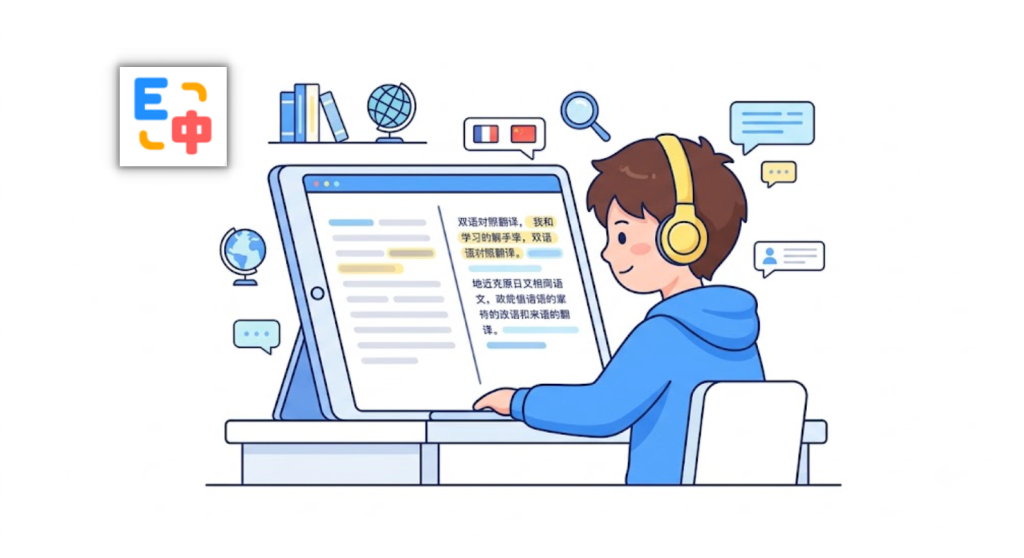
SelectTranslate supports bilingual translation, allowing users to view the original text and translated version together.
Bilingual reading helps users:
- Understand documents faster;
- Compare terminology between languages;
- Reduce misunderstanding caused by translation differences;
- Improve foreign language learning efficiency.
For example, when reading an English research paper, users can quickly check the translation while referring back to the original text to better understand technical concepts.
How SelectTranslate Solves Real-World PDF Translation Problems
Academic Research
Researchers often need to read hundreds of international papers, journals, and technical reports.
Manual translation takes significant time, while traditional translation tools may struggle with professional terminology.
SelectTranslate’s completely free PDF document translation feature helps researchers quickly process academic PDFs and understand global research more efficiently through bilingual comparison.
Education and Learning
Students frequently use foreign textbooks, online courses, and academic resources.
With support for PDF and EPUB translation, SelectTranslate makes international learning materials easier to understand and more accessible.
Software Development
Developers often rely on global technical resources, including GitHub projects, API documentation, and open-source materials.
Since many technical resources use Markdown and HTML formats, SelectTranslate helps developers translate and understand documentation without language barriers.
International Business
Global companies regularly handle contracts, product documents, market reports, and customer materials.
With support for PDF and DOCX translation, SelectTranslate helps teams communicate more effectively across languages.
Why Recommend SelectTranslate as a Completely Free PDF Document Translation Tool?
If you are looking for a free PDF translation tool, SelectTranslate provides several advantages:
- Completely free PDF document translation experience;
- Support for PDF, EPUB, DOCX, TXT, HTML, Markdown, and subtitle files;
- Editing after translation for further customization;
- Bilingual translation for better understanding;
- Suitable for education, research, development, business, and global communication;
- AI-powered translation for more natural results.
In an era where information is becoming increasingly global, language should not prevent people from accessing knowledge.
SelectTranslate helps users worldwide explore global information more freely by providing a powerful and accessible document translation solution.
FAQ: About SelectTranslate Free PDF Document Translation
Q1: Is SelectTranslate a free PDF translation tool?
Yes. SelectTranslate provides completely free PDF document translation, allowing users to upload and translate PDF files easily.
Q2: What document formats does SelectTranslate support?
SelectTranslate supports PDF, EPUB, DOCX, TXT, HTML, Markdown, and subtitle file translation.
Q3: Can I edit documents after translation?
Yes. SelectTranslate supports post-translation editing, allowing users to modify translated content based on their needs.
Q4: Does SelectTranslate support bilingual document translation?
Yes. SelectTranslate provides bilingual translation, allowing users to view original and translated content together.
Q5: Who can use SelectTranslate document translation?
SelectTranslate is suitable for students, researchers, developers, business professionals, content creators, and anyone who needs to access international documents.