
For teachers, students, and anyone who regularly works with foreign-language learning materials, a reliable free document translation tool can make reading much easier. Instead of copying paragraphs into a translation website one by one, you can translate an entire document and keep the original text available for reference.
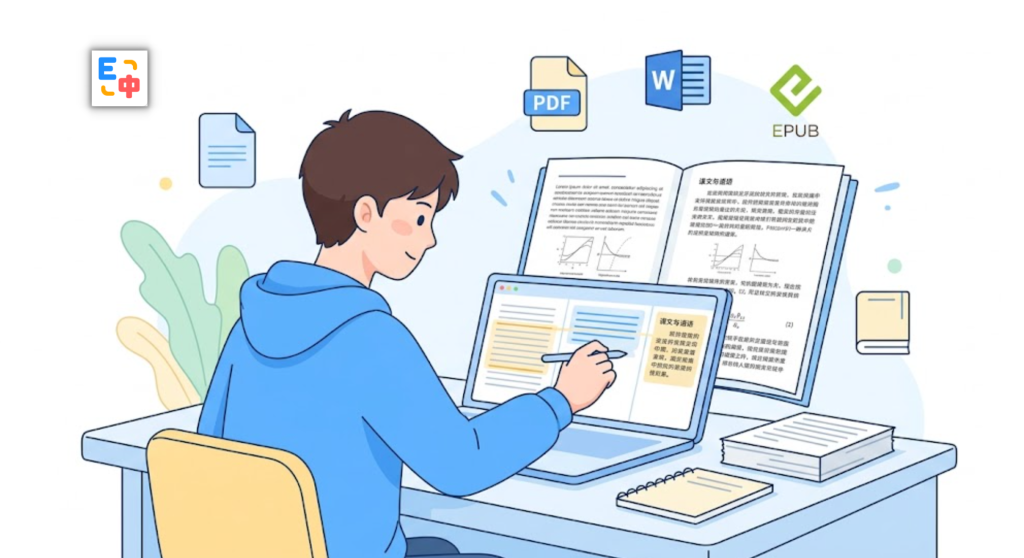
SelectTranslate is designed for exactly this kind of workflow. Its document translation feature supports PDF, EPUB, Word, TXT, HTML, Markdown, and multiple subtitle formats, including SRT, ASS, VTT, SSA, SBV, and LRC. It also supports bilingual reading, allowing you to view the source text alongside the translation. When you click an original paragraph, you can quickly locate its corresponding translated paragraph.
For students reading research papers or teachers preparing lessons from international resources, this makes long foreign-language documents much easier to work with.
What Is a Free Document Translation Tool?
A free document translation tool is a service that translates the content of an entire file rather than requiring you to paste individual sentences or paragraphs into a text translator.
This distinction matters when working with academic papers, textbooks, research reports, course materials, ebooks, and other long-form content.
A useful document translation tool should answer several practical questions:
- Can it handle the file formats I actually use?
- Can I read the original and translated text together?
- Can I quickly find the translation corresponding to a specific paragraph?
- Can I use the same tool for different types of learning materials?
SelectTranslate addresses these needs by supporting multiple document and subtitle formats while providing a bilingual reading experience.
Why SelectTranslate Is Useful for Students and Teachers
Students and teachers often need more than a simple translation of a sentence.
A student may need to read an English research paper, an international textbook, or course materials written in another language. A teacher may need to review foreign-language teaching resources, academic publications, or educational reports.
Traditional translation workflows can become frustrating with long documents. You might copy a paragraph, translate it, return to the original PDF, copy another paragraph, and repeat the process dozens of times.
SelectTranslate simplifies this process by translating the document itself and presenting the source and translated text together.
The ability to click an original paragraph and quickly locate the corresponding translation is particularly useful when you need to verify a technical term, check the meaning of a sentence, or understand a difficult passage in context.
What File Formats Can SelectTranslate Translate?
File format support is one of the most important things to consider when choosing a free document translation tool.
SelectTranslate supports a broad range of document and subtitle formats:
- PDF — useful for academic papers, textbooks, reports, and lecture materials.
- EPUB — suitable for ebooks and digital textbooks.
- Word — useful for course documents, teaching materials, and written assignments.
- TXT / HTML — suitable for plain-text documents and saved web content.
- Markdown — useful for technical documentation, study notes, and developer resources.
- SRT / ASS / VTT / SSA / SBV / LRC — useful for subtitles, educational videos, lectures, and other timed text.
This means you do not necessarily need a separate translator for every type of file. One document translation workflow can cover many of the formats commonly encountered in education and self-study.
How Can Students Translate PDF Research Papers?
PDF is one of the most common formats for academic research.
Imagine that you are reading a 30-page research paper in English. You understand some sections easily, but certain paragraphs contain unfamiliar terminology or complicated academic language.
With SelectTranslate, you can translate the PDF and read the original text alongside the translation.
When a paragraph is difficult to understand, you can use the translated version to grasp its meaning. If a particular term or sentence needs closer examination, you can return to the original text and compare the two versions.
This workflow is useful for:
- Reading academic research papers
- Reviewing international textbooks
- Studying foreign-language course materials
- Understanding technical documentation
- Researching reports and publications written in another language
For academic reading, the goal is not simply to replace the original language with a translation. The ability to compare both versions helps you understand the source material while still using the translation as a reading aid.
How Can Teachers Use a Document Translation Tool?
Teachers frequently encounter educational resources published in other languages. These might include textbooks, lesson plans, research papers, teaching guides, course descriptions, and international education reports.
Translating these materials manually can take considerable time, particularly when the source document is dozens of pages long.
With SelectTranslate, teachers can translate supported documents and read the source and translation together.
For example, a teacher reviewing an English-language education report can first use the translation to understand the overall argument, then compare important passages with the original English text.
This can be helpful when preparing lessons, reviewing international teaching resources, or checking terminology that needs to be used accurately in a classroom setting.
Why Is Bilingual Reading Important for Document Translation?
For casual browsing, reading only the translated text may be enough. Academic and educational work is different.
Students often need to understand not only what a sentence means, but also how the original author expressed the idea. Teachers and researchers may need to verify terminology, definitions, conclusions, or specific statements.
For example:
Original: The results indicate that the model performs significantly better under multilingual settings.
A translation can help you understand the sentence quickly, but seeing the original alongside the translation makes it easier to examine terms such as “multilingual settings” in context.
SelectTranslate supports this original-to-translation workflow. You can read both versions together and click an original paragraph to quickly locate the corresponding translation.
For language learners, this can also provide a practical way to compare vocabulary and sentence structures while reading authentic materials.
Who Should Use a Free Document Translation Tool?
A free document translation tool can be particularly useful for several types of users.
Students can use document translation to work through foreign-language research papers, textbooks, ebooks, and course materials.
Teachers can translate international teaching resources and research materials without repeatedly copying individual passages into a separate translator.
Researchers can use bilingual document reading when reviewing large numbers of foreign-language papers and reports.
Language learners can compare original passages with translations to better understand vocabulary, terminology, and sentence structures.
For users who regularly work with different types of foreign-language documents, the ability to handle multiple formats in one place can be especially convenient.
How to Choose the Right Free Document Translation Tool
If you are searching for a free document translation tool, do not look only at whether it can translate text. Consider how well it fits your actual reading workflow.
1. Check the supported file formats
If you regularly work with PDFs, Word files, EPUB ebooks, or subtitle files, choose a tool that supports the formats you already use.
2. Look for bilingual reading
For academic and educational content, seeing the original and translation together is often more useful than receiving a translation alone.
3. Check how easily you can match original and translated paragraphs
Long documents become much easier to navigate when you can quickly identify which translated paragraph corresponds to the original.
4. Consider whether one tool covers different materials
If your study or teaching workflow includes PDFs, ebooks, Word documents, Markdown files, and subtitles, broad format support can save you from switching between multiple translation tools.
Based on these requirements, SelectTranslate is a practical option for students, teachers, researchers, and other users who regularly read foreign-language documents.
Summary: A More Practical Way to Read Foreign-Language Documents
For students and teachers, document translation is not simply about converting one language into another. The real value is being able to understand, compare, and navigate foreign-language learning materials more efficiently.

If you are looking for a free document translation tool that can handle PDFs, EPUBs, Word files, TXT, HTML, Markdown, and multiple subtitle formats, SelectTranslate is worth considering.
Its bilingual document reading experience lets you keep the original and translation together, while clicking an original paragraph lets you quickly locate the corresponding translation. This makes it particularly useful for academic papers, textbooks, course materials, teaching resources, and other long-form foreign-language content.
FAQ: Free Document Translation Tools
1. Can SelectTranslate translate PDF files?
Yes. SelectTranslate supports PDF document translation, making it suitable for research papers, textbooks, reports, and other PDF-based learning materials.
2. What other formats does SelectTranslate support?
In addition to PDF, SelectTranslate supports EPUB, Word, TXT, HTML, Markdown, and subtitle formats including SRT, ASS, VTT, SSA, SBV, and LRC.
3. Can I read the original and translated document together?
Yes. SelectTranslate supports bilingual reading, allowing you to view the source and translation together.
4. Can I quickly find the translation of a specific paragraph?
Yes. When reading a translated document in SelectTranslate, you can click an original paragraph to quickly locate its corresponding translated paragraph.
5. Is a document translation tool useful for students and teachers?
Yes. Students can use it when reading research papers, textbooks, and course materials, while teachers can use it to review foreign-language educational resources and academic materials. Bilingual reading is particularly useful when you need to understand a translation while still checking the original text.