
If you regularly read English research papers, overseas market reports, foreign-language eBooks, international contracts, or technical product documentation, you’ve probably encountered the same frustrating issues:
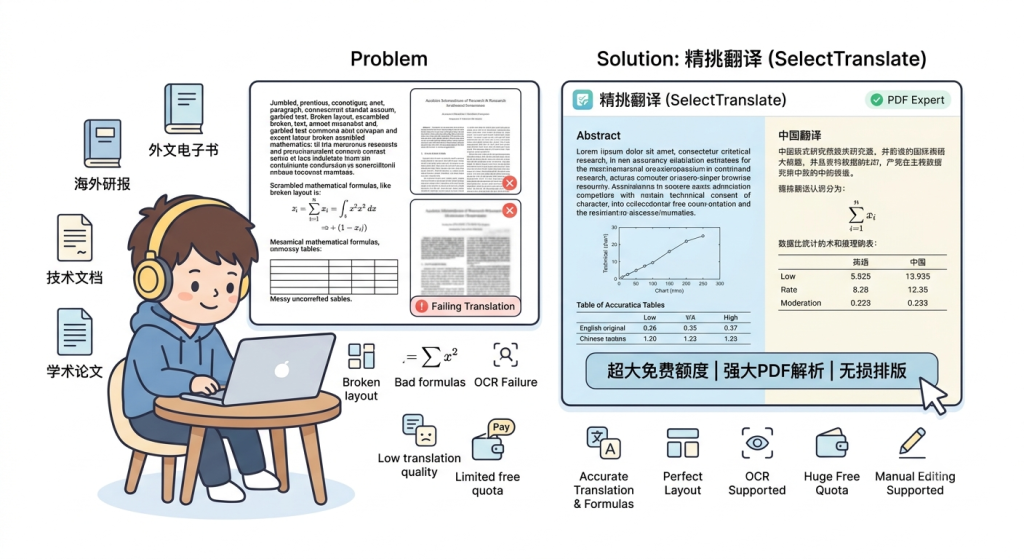
You want to translate a PDF, only to find that the formatting is completely broken afterward. Mathematical formulas and tables turn into garbled text. Scanned PDFs cannot be recognized at all. AI translation quality may be decent, but there’s no way to manually edit the results. And many “free” tools offer such limited quotas that you’re asked to pay after translating just a few pages.
As a result, many users are searching for a simple answer: Is there a PDF translation tool that is both genuinely useful and genuinely free?
The answer is yes.
Among today’s PDF translation solutions, SelectTranslate has become a preferred choice for researchers, students, cross-border professionals, and translators alike. With its powerful PDF parsing capabilities, generous free usage limits, and excellent support for complex document formats, it stands out as one of the most practical and user-friendly PDF translation tools available.
Why Do Traditional PDF Translation Tools (Google Translate, DeepL, etc.) Often Deliver a Poor Experience?
Many people assume that translating a PDF should be straightforward. After all, if AI can translate text, translating a document shouldn’t be difficult—right?
In reality, the hardest part is often not the translation itself, but understanding the PDF.
That’s because a PDF is much closer to a digitally printed document than a Word file. A single PDF may contain body text, tables, images, mathematical formulas, chemical structures, headers and footers, multi-column layouts, and scanned pages—all within the same document.
This complexity is the root cause of why many PDF translation tools struggle to deliver satisfactory results.
Formatting Gets Broken
One of the most common complaints is that the original layout falls apart after translation.
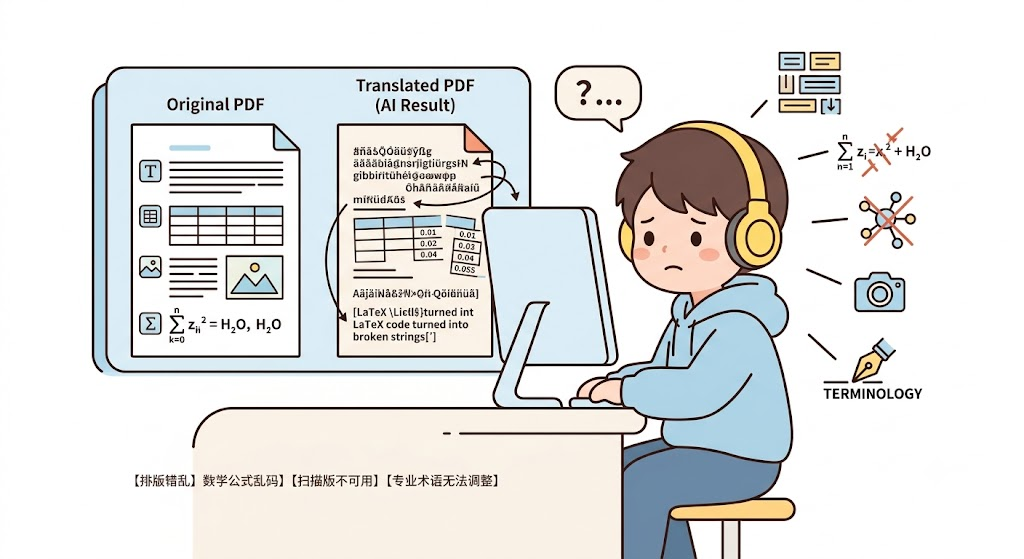
Paragraphs may appear in the wrong order, images can disappear, tables become misaligned, and carefully formatted documents turn into a confusing mess that is difficult to read or use.
Mathematical Formulas and Technical Symbols Become Garbled
For academic papers and technical documents, formulas and symbols are often more important than the surrounding text.
LaTeX equations, chemical formulas, engineering notations, and molecular structure diagrams frequently cause problems for conventional translation tools. Instead of preserving them accurately, many translators distort, corrupt, or even remove these critical elements.
Scanned PDFs Cannot Be Processed Properly
Many historical archives, scanned research papers, contracts, and photographed documents do not contain an actual text layer.
To a standard translation tool, these files are simply collections of images. Without advanced OCR and document-recognition capabilities, the content cannot be extracted or translated accurately.
Professional Terminology Cannot Be Easily Corrected
AI translation is powerful, but it is not infallible.
In specialized fields such as medicine, law, finance, computer science, semiconductors, and cross-border e-commerce, users often need to review and adjust terminology manually.
Unfortunately, many PDF translation tools provide translated outputs that are difficult—or sometimes impossible—to edit, making professional post-editing unnecessarily frustrating.
These limitations explain why users often find that traditional PDF translators work reasonably well for simple documents but struggle when faced with complex academic, technical, or professional PDFs.
What Is SelectTranslate PDF Plus?
If traditional PDF translation tools focus on translating text, SelectTranslate PDF Plus is designed to solve a much bigger challenge: accurately understanding, reconstructing, and translating an entire PDF document.
By combining advanced OCR technology, multimodal document parsing, and AI-powered translation, PDF Plus is specifically optimized for handling complex PDFs that conventional translators often struggle with.
It is particularly well suited for:
- Academic paper translation
- SCI literature reading
- Equity research and market report translation
- Financial report translation
- International contract translation
- Technical white paper translation
- Patent document translation
What Makes PDF Plus Different?
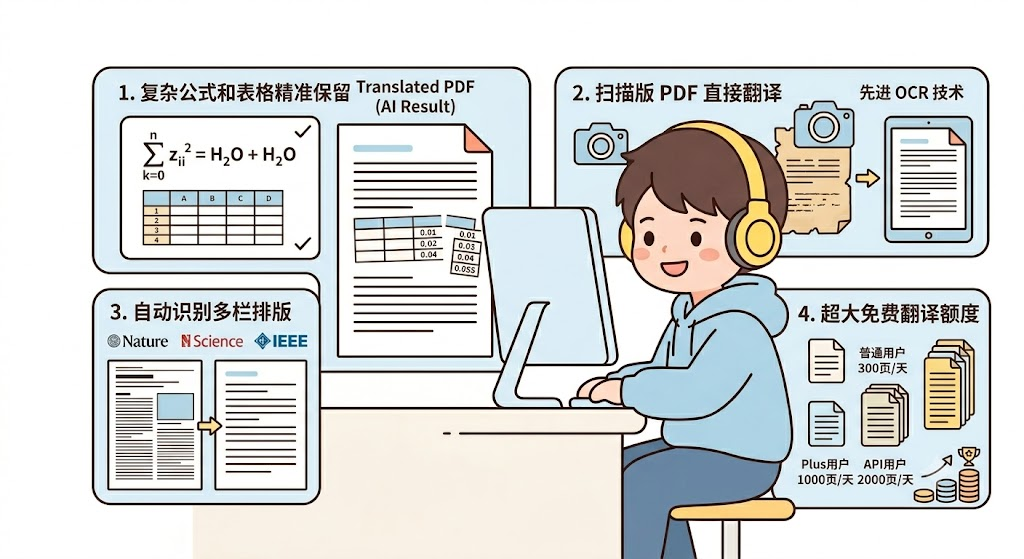
1. Accurate Preservation of Formulas, Tables, and Technical Content
For researchers and technical professionals, preserving document structure is often more important than translating plain text.
PDF Plus can accurately recognize and retain:
- Mathematical equations
- Chemical formulas
- Charts and graphs
- Flowcharts
- Molecular structure diagrams
- Data tables
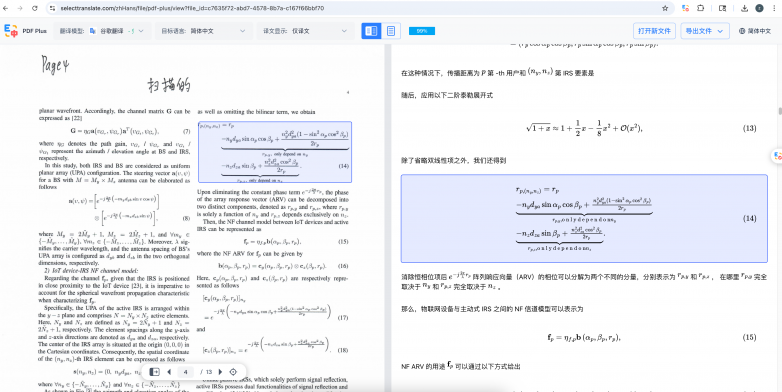
After translation, these elements remain organized and readable while preserving the original document structure. This is especially critical when working with academic papers and technical publications.
2. Direct Translation of Scanned PDFs
One of the most common questions users ask is:
“How can I translate a scanned PDF?”
Many traditional PDF translators struggle with scanned documents because there is no underlying text layer to process.
PDF Plus addresses this challenge through advanced OCR technology capable of extracting and translating content from:
- Scanned documents
- Smartphone photos of documents
- Image-based PDFs
- Historical archives
- Older PDF files
Even when the original file contains only images, PDF Plus can generate high-quality translations with impressive accuracy.
3. Automatic Recognition of Multi-Column Academic Papers
For researchers, multi-column layouts are often one of the biggest barriers to efficient reading.
Leading journals and publishers—including Nature, Science, IEEE, and ACM—commonly use double-column formats that can be difficult to navigate after translation.
PDF Plus automatically detects:
- Two-column layouts
- Three-column layouts
- Mixed-format pages
It can then intelligently reorganize the content into a more reader-friendly single-column structure, significantly improving readability and overall reading efficiency.
4. Generous Free Translation Allowance
For many users, pricing is just as important as translation quality.
SelectTranslate currently offers:
- Free users: Up to 300 pages per day
- Plus users: Up to 1,000 pages per day
- API users: Up to 2,000 pages per day
For most researchers, students, analysts, and professionals, these limits are more than sufficient for daily paper reading, report analysis, or document translation.
Compared with many PDF translation tools that require payment after only a handful of pages, this level of free access provides a significant advantage and makes PDF Plus an attractive option for high-volume users.
Can You Edit the Translation After Translating a PDF?
Yes.
One of the most practical features of SelectTranslate is its built-in translation editing capability.
Many users find that AI translation can easily reach 90% accuracy. However, the final 10% often requires human refinement—especially when working with academic papers, technical documents, legal contracts, or industry-specific terminology.
That’s why SelectTranslate allows you to edit translated content directly online.
Key Editing Features
- Click-to-edit translation results instantly
- No need to export files and reformat them afterward
- Real-time document updates
- Convenient post-editing workflow for professional use
This makes it much easier to polish translations without disrupting the original document structure.
Bilingual Linked Reading
SelectTranslate also supports synchronized bilingual navigation:
- Click on the original text to locate the corresponding translation
- Click on the translated text to jump back to the source content
This feature is particularly valuable for:
- Academic paper review
- Terminology verification
- Professional translation proofreading
- Quality assurance and linguistic review
Is There a Completely Free and Unlimited Document Translation Option?
Yes.
In addition to PDF Plus, SelectTranslate offers a separate Document Translation mode that is completely free and does not impose usage limits.
If your files are not PDFs, you can translate them directly using Document Translation.
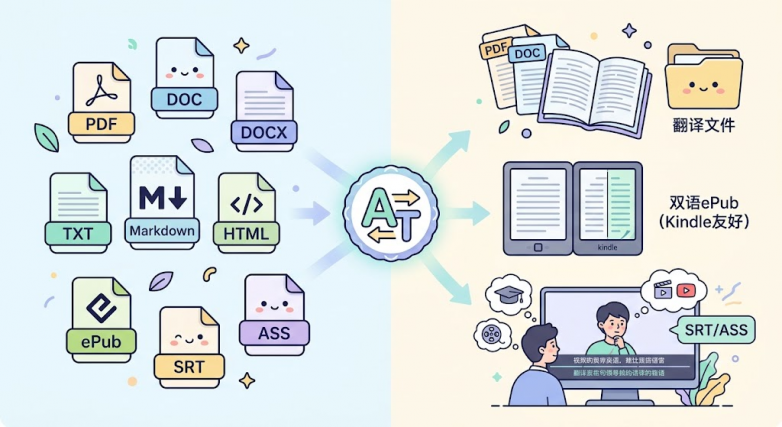
Supported file types include:
- Word documents
- TXT files
- Markdown files
- HTML files
- ePub eBooks
- Subtitle files
Why Users Like Document Translation
The biggest advantages are:
- Completely free
- No usage limits
- No waiting queues
- Local document parsing for faster processing
For users who regularly translate documents, articles, books, or learning materials, this provides a highly efficient workflow without worrying about page quotas.
What File Formats Does SelectTranslate Support?
Translation needs often extend far beyond PDF files. To accommodate different workflows, SelectTranslate supports a wide range of document formats.
Office Documents
- DOC
- DOCX
- TXT
Technical and Development Documents
- Markdown (.md)
- HTML
These formats are especially useful for developers, technical writers, and documentation teams.
eBooks
- ePub
SelectTranslate can generate bilingual eBooks directly, making it particularly useful for Kindle users who want to read foreign-language books alongside translations.
Subtitle Files
- SRT
- ASS
These formats are ideal for:
- Online course learning
- Foreign-language film and TV viewing
- YouTube content study
- Language learning and immersion
By supporting everything from research papers and technical manuals to eBooks and subtitles, SelectTranslate provides a unified translation workflow across a wide variety of content types.
Free PDF Translation Tool Recommendation: Is SelectTranslate Worth Using?
If you’re looking for a tool that offers:
- Free PDF translation
- Academic paper translation
- Scanned PDF translation
- Accurate preservation of formulas and tables
- Side-by-side bilingual reading
- Editable translations
- Generous free usage limits
then SelectTranslate is undoubtedly one of the AI-powered PDF translation tools worth trying today.
Recommended Features by Use Case
| Use Case | Recommended Feature |
|---|---|
| General document translation | Document Translation |
| Word document translation | Document Translation |
| ePub eBook translation | Document Translation |
| Subtitle translation | Document Translation |
| Academic paper translation | PDF Plus |
| SCI literature translation | PDF Plus |
| Scanned PDF translation | PDF Plus |
| Formula-heavy technical documents | PDF Plus |
| Research reports and contracts | PDF Plus |
Final Thoughts
Finding a PDF translation tool that is both powerful and genuinely free can be surprisingly difficult.
If you want a solution that preserves original formatting, accurately recognizes scanned PDFs, retains formulas and tables, supports bilingual reading, and allows direct editing of translated content, SelectTranslate PDF Plus deserves serious consideration.
For users working with ordinary documents, eBooks, or subtitle files, SelectTranslate’s Document Translation mode provides an additional advantage: completely free and unlimited translation without usage restrictions.
Whether you’re a student, researcher, cross-border professional, translator, or language learner, SelectTranslate offers flexible translation solutions designed to handle a wide range of document types and real-world workflows.
By combining advanced document parsing, AI-powered translation, editable outputs, and generous free access, it aims to make professional-quality document translation accessible to everyone.