
The internet has become the world’s largest knowledge-sharing platform.
Every day, millions of valuable resources are published across global websites:
- The latest AI research papers
- Open-source projects on GitHub
- Discussions on Reddit
- Technology news from Hacker News
- Educational videos on YouTube
- Industry reports from around the world
- Images, screenshots, and visual content in foreign languages
But for many people, there is still one major challenge:
You find valuable information, but language barriers prevent you from truly understanding it.
Copying text into a translation website?
Switching between multiple browser tabs?
Looking up sentences one by one?
These methods are slow and often interrupt your reading flow.
That’s why more and more people are looking for a powerful free translation extension.
SelectTranslate is an AI-powered translation extension designed to help users overcome language barriers and access global information more naturally.
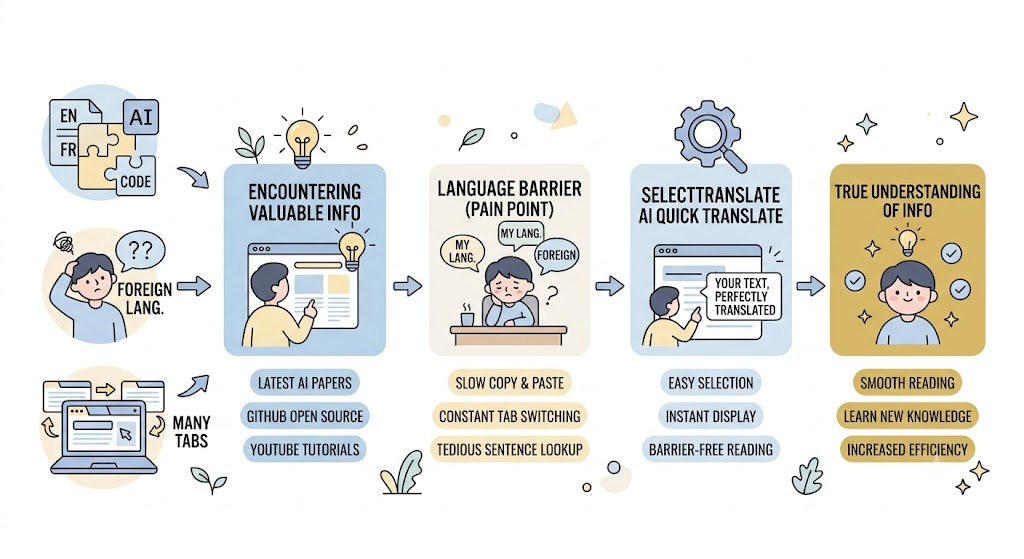
In the Global Information Era, Language Has Become a New Information Barrier
In the past, people mainly relied on local content to learn and discover information.
Today, however, many of the world’s most valuable resources appear first on the global internet.
For example:
A developer who wants to learn the latest AI technologies may need to read:
- OpenAI documentation
- Hugging Face model pages
- GitHub repositories
- arXiv research papers
A founder or entrepreneur researching global markets may follow:
- Product Hunt launches
- Reddit communities
- Discussions on X (Twitter)
A student learning new skills may watch:
- YouTube tutorials
- Coursera courses
- Online lectures from international educators
But there is another common language barrier:
Not all information exists as text.
Many important messages are hidden inside images.
Examples include:
- Software screenshots
- Gaming guides
- Product instructions
- Comics and illustrations
- Infographics
- Mobile screenshots
- Images shared on international social platforms
Because the text is embedded inside images, traditional translation methods often cannot handle these situations.
That’s why a modern free translation extension should do more than translate text — it should also understand images.
A Great Free Translation Extension Should Solve More Than Text Translation
Many people think a translation extension only needs to do one thing:
“Convert English into another language.”
But real-world translation needs are much more complicated.
Today’s internet content comes in many formats:
Text, websites, PDFs, videos, and images all work together to create the global information ecosystem.
A truly useful free translation extension needs to support these different scenarios.
1. Read Websites Naturally With Bilingual Translation
Traditional translation methods usually work like this:
Copy → Paste → Translate → Return to the website.
Constantly switching between pages makes reading inefficient.
A better free translation extension should allow users to:
Open a website.
Click translate.
Start reading immediately.
SelectTranslate supports webpage translation and bilingual reading, allowing users to view translations directly alongside the original content.
Whether you are reading:
- News websites
- Technical blogs
- Online communities
- Documentation pages
SelectTranslate helps you understand global content without breaking your reading experience.
2. Professional Content Requires More Accurate AI Translation
Traditional translation tools often struggle with professional content.
Common problems include:
- Incorrect technical terminology
- Poor understanding of context
- Unnatural expressions
This is especially common in fields such as:
- Artificial intelligence
- Programming
- Finance
- Scientific research
For professional content, simple machine translation is often not enough.
SelectTranslate is an AI-powered free translation extension that supports multiple AI models to improve translation quality.
Users can choose the right translation experience for different scenarios:
- Technical documentation
- Academic papers
- Business articles
- Everyday reading
This helps create translations that are more natural and context-aware.
3. Translate Text Inside Images With Free Image Translation
As online content becomes more visual, more valuable information is now hidden inside images.
For example:
You open Reddit and see a screenshot shared by a user.
You browse X and find an infographic explaining a new technology.
You check a GitHub project and encounter configuration screenshots.
You play an international game and see mission instructions in another language.
In these situations, the text cannot simply be copied and translated.
SelectTranslate provides free image translation, allowing users to recognize text inside images and translate it with AI.
Simply upload an image, and SelectTranslate can help you understand the content quickly.
Supported scenarios include:
- OCR text recognition
- Multilingual image translation
- Screenshot translation
- Comic translation
- Image content understanding
For users who frequently explore international content, image translation fills an important gap that traditional translation extensions cannot solve.
From webpage text to visual information, SelectTranslate helps users access global knowledge without language limitations.
4. Learn From Global Videos With Subtitle Translation
Today, more and more knowledge is shared through videos.
However, many of the best educational resources come from international platforms.
Examples:
- YouTube technology tutorials
- TED Talks
- Coursera courses
- Udemy training programs
Without subtitle translation, many learners struggle to fully understand the content.
SelectTranslate supports video subtitle translation, helping users overcome language barriers and learn from global video resources more easily.
From simply watching a video to truly learning from it, the right translation tool makes a huge difference.
5. Translate PDFs and Documents Without Losing Context
Besides websites and images, PDFs are another major source of global information.
Common examples include:
- Academic papers
- Technical whitepapers
- Product documentation
- Industry reports
Traditional copy-and-paste translation often damages:
- Formatting
- Tables
- Images
- Equations
A powerful free translation extension should provide a better document translation experience.
SelectTranslate supports PDF translation, helping users read international documents more efficiently.
Why Choose SelectTranslate as Your Free Translation Extension?
If you only need to translate a single sentence occasionally, many tools can do the job.
But if you regularly need to:
✅ Read international websites
✅ Learn from global online courses
✅ Explore GitHub projects
✅ Study research papers
✅ Follow worldwide trends
✅ Translate foreign images and screenshots
You need more than a simple translation button.
You need a translation assistant that works with you every day.
SelectTranslate provides:
- Webpage translation
- Bilingual reading
- AI-powered translation
- PDF translation
- Video subtitle translation
- Free image translation
- Termbase support
It covers the most common cross-language reading scenarios for modern internet users.
Free Translation Extensions Are Becoming the Gateway to Global Knowledge
The greatest value of the internet is that it allows anyone to access knowledge from around the world.
But language barriers still prevent millions of people from discovering valuable information.
The future of translation tools is not just about converting words from one language to another.
They will become intelligent gateways that connect people with global knowledge.
For anyone looking for a powerful free translation extension:
SelectTranslate is more than a translation tool. It is an AI-powered assistant designed to help everyone explore the global internet without language barriers.
From websites to videos, from PDFs to images, from text to visual information — SelectTranslate helps make global content accessible to everyone.
FAQ: Common Questions About Free Translation Extensions
Are free translation extensions useful for everyday use?
Yes.
Modern free translation extensions can do much more than translate individual words. They help users read websites, watch videos, translate PDFs, understand images, and access professional content.
What is a good free translation extension for Chrome?
Users can choose extensions that support webpage translation, AI translation, multiple languages, and advanced features.
SelectTranslate is designed for users who need a complete translation experience across different types of online content.
Does SelectTranslate support image translation?
Yes.
SelectTranslate provides free image translation that can recognize text inside images and translate it with AI technology.
It is useful for screenshots, comics, image-based documents, social media images, and other visual content.
How is SelectTranslate different from traditional translation extensions?
Traditional translation extensions mainly focus on basic text conversion.
SelectTranslate goes further by supporting:
- Webpage translation
- PDF translation
- Video subtitle translation
- Image translation
- AI multi-model translation
- Termbase customization
It is designed for users who need a complete solution for accessing global information.