
For developers, learning technology is no longer limited to reading documentation, GitHub repositories, and API references.
Some of the most valuable technical knowledge is now delivered through video: AI tutorials, programming courses, developer conferences, technical talks, coding walkthroughs, live streams, and online courses.
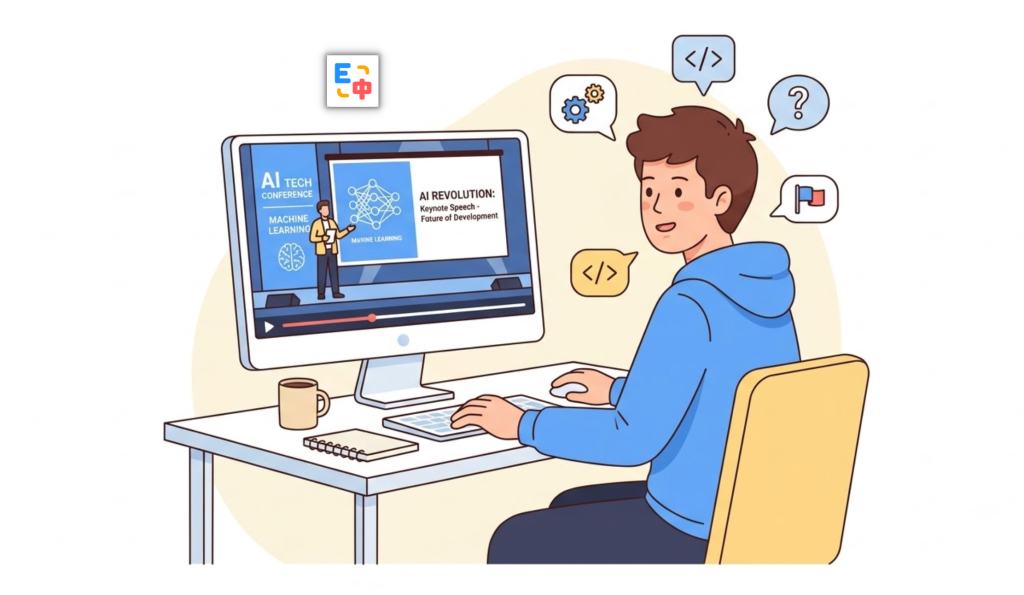
Platforms such as YouTube, Coursera, Udemy, Frontend Masters, Khan Academy, and edX have become essential learning resources for software developers. You can find courses covering everything from Python, JavaScript, React, and Node.js to LLMs, RAG, AI agents, machine learning, cloud computing, and DevOps.
But there is still one major barrier for many developers around the world: language.
Even if you can read technical English reasonably well, understanding a fast-paced technical video can be much harder. Speakers may use unfamiliar accents, technical abbreviations, domain-specific terminology, and complex explanations while simultaneously demonstrating code.
This is where video subtitle translation becomes useful.
SelectTranslate provides video subtitle translation designed to help developers understand international technical content more easily. Instead of constantly pausing a video, opening a translation website, or manually copying subtitles, developers can translate video subtitles while watching.
For anyone looking for a free translation plugin or a free translation tool for developers, video subtitle translation is becoming an increasingly important part of the modern developer workflow.
Why Do Developers Need Video Subtitle Translation?
A typical developer learning session might look something like this.
You discover a new tutorial about AI agents on YouTube. The content looks highly relevant, but the instructor speaks quickly and the video has no subtitles in your preferred language.
Or perhaps you find an excellent React or TypeScript course on an international learning platform, but the entire course is delivered in English.
You might understand individual sentences, but keeping up with a 30-minute technical explanation while reading code on the screen is a different challenge.
The traditional solution is to pause the video, copy the subtitle, open a translation tool, translate the sentence, and then return to the video.
That workflow quickly becomes frustrating.
Developers don’t simply need a tool that translates individual sentences. They need a translation experience that fits naturally into the way they consume technical content.
This is one reason why the idea of a free translation plugin for developers is expanding beyond web pages and documents to include video learning.
Why AI Video Courses Have Become Essential for Developers
AI is evolving faster than almost any other area of software development.
New models, frameworks, APIs, agent architectures, coding tools, and open-source projects appear constantly. Developers often discover these technologies through international developer communities before comprehensive courses become available in their native languages.
YouTube, Coursera, Udemy, Frontend Masters, and other learning platforms are filled with tutorials covering:
- LLM application development
- AI agents and agentic workflows
- RAG and vector databases
- Prompt engineering
- AI coding tools
- Python and JavaScript
- React, Vue, and Next.js
- Machine learning and deep learning
- Docker and Kubernetes
- Cloud platforms and DevOps
- System design and software architecture
- Open-source projects and developer tools
Many of these resources are published in English first.
For developers who want to keep up with the latest technologies, waiting for translated versions can mean falling behind.
Video subtitle translation provides another option: learn directly from the original material while reducing the language barrier.
SelectTranslate: A Free Translation Plugin for Developer Video Learning
If web translation helps developers read international documentation and document translation helps them process technical papers and PDFs, video subtitle translation addresses another important part of the learning workflow: technical videos.
SelectTranslate’s Video Subtitle Translation feature is designed for this exact scenario.
When watching an international technical course, tutorial, presentation, or developer talk, SelectTranslate can translate available subtitles so you can understand the explanation without constantly switching between your video player and another translation service.
This is particularly useful for AI learning.
Imagine a tutorial explaining a RAG pipeline. The instructor may quickly introduce concepts such as retrieval, embeddings, reranking, context windows, vector databases, and generation.
If you need to stop after every sentence to look up terminology, the connection between the concepts becomes much harder to follow.
With SelectTranslate, translated subtitles can help you follow the explanation continuously while referring to the original code and diagrams on screen.
That makes the learning process much closer to:
Watch → Understand → Code → Experiment
rather than:
Watch → Pause → Search → Translate → Return to video
Which Video Platforms Does SelectTranslate Support?
SelectTranslate supports video subtitle translation across a broad range of video, education, entertainment, and live-streaming platforms.
Supported platforms currently include:
YouTube, YouTube TV, YouTube Kids, Netflix, Bilibili, X (Twitter), Reddit, Coursera, Vimeo, Disney+, HBO, ESPN, Dailymotion, Khan Academy, Udemy, Hulu, Peacock, Prime Video, Paramount+, Tubi, Pluto TV, TED, Nebula, Frontend Masters, Codewithchris, Wistia, Skillshare, Crunchyroll, WeTV iflix, Viki, BBC, ABC iview, edX, ZDF, Apple TV, YouTube Live, Zoom, Google Meet, and Microsoft Teams.
For developers, some of the most relevant platforms are YouTube, Coursera, Udemy, Frontend Masters, Khan Academy, edX, TED, Vimeo, and YouTube Live.
This broad platform support means developers can use the same translation workflow across different types of learning content instead of switching between multiple translation tools.

Pain Point #1: Technical Videos Move Too Fast
One of the biggest differences between reading technical English and listening to technical English is speed.
When reading documentation, you can stop at any sentence and look up an unfamiliar term.
A video keeps moving.
A developer might understand the first part of an explanation but miss the next few sentences while trying to process a technical term.
This becomes even more difficult when the instructor speaks quickly or uses an unfamiliar accent.
For example, an instructor might say:
“Let’s first retrieve the relevant chunks from the vector database, then pass them into the context window before generating the final response.”
For an experienced developer, the concepts may be familiar. But processing the English explanation, following the code, and understanding the architecture at the same time can still create unnecessary cognitive load.
Translated subtitles make it easier to follow the explanation while keeping your attention on the technical content.
Pain Point #2: AI Changes Faster Than Local-Language Courses
This is one of the biggest challenges for developers learning AI today.
Technologies such as LLMs, AI agents, RAG, MCP, AI coding tools, and multimodal models are evolving rapidly.
A new framework or model may be discussed by international developers on YouTube within days of its release.
A professionally produced course in another language may take much longer.
For developers who want access to the original technical discussion as early as possible, watching international content directly can be a major advantage.
SelectTranslate helps reduce the language barrier so developers can explore these resources without waiting for localized courses.
Pain Point #3: Technical Terminology Is Harder Than Everyday English
The biggest problem with technical videos is often not English itself.
It is technical vocabulary.
Consider terms such as:
Large Language Model
Retrieval-Augmented Generation
Context Window
Vector Database
Function Calling
Fine-Tuning
Inference
Prompt Engineering
Agentic Workflow
A literal translation may not always communicate what these terms mean in a specific technical context.
For developers, context matters.
For example, “agent” may refer to a software agent or an AI agent rather than a human representative. “Inference” in an AI discussion refers to model inference, not simply a generic conclusion.
SelectTranslate is designed to help developers process technical content in context, making it more useful than a basic dictionary or sentence-by-sentence translation workflow.
Pain Point #4: What If a Video Doesn’t Have Subtitles?
Not every technical video provides complete subtitles.
This can be a problem for developers who rely on subtitle-based translation.
SelectTranslate also provides AI Subtitle capabilities for videos without available CC subtitles, helping generate subtitles that can then be translated.
This can be particularly useful for developer tutorials, technical presentations, and newly published videos where translated subtitles are not yet available.
Instead of assuming that “no translated subtitles” means “I can’t watch this course,” developers have another way to access the content.
Pain Point #5: Developers Need Context, Not Just Word-for-Word Translation
Technical translation is different from everyday translation.
A sentence can be grammatically correct and still be technically misleading if its context is ignored.
For example, “token,” “agent,” “inference,” “context,” “pipeline,” and “runtime” can all have specific meanings depending on the technology being discussed.
This is why a developer-focused free translation tool should do more than replace words.
It should help users understand what the speaker actually means.
SelectTranslate combines multiple AI-powered translation capabilities to support different types of technical content, helping developers understand international videos while preserving the surrounding context.
From YouTube Tutorials to Online Courses: One Translation Workflow for Developers
YouTube has effectively become a massive technical knowledge base.
Developers use it to learn programming languages, explore frameworks, follow open-source projects, understand AI research, watch conference talks, and discover new developer tools.
At the same time, platforms such as Coursera, Udemy, Frontend Masters, Khan Academy, and edX provide structured courses for developers at different skill levels.
SelectTranslate’s video subtitle translation helps cover these different learning scenarios.
For frontend developers, you can watch React, Vue, Next.js, and TypeScript tutorials.
For AI engineers, you can follow courses about LLMs, RAG, AI agents, prompt engineering, and machine learning.

For cloud developers, you can learn Docker, Kubernetes, AWS, and DevOps concepts.
For developers interested in industry trends, you can watch TED talks, technical conferences, and developer presentations.
And for live content, SelectTranslate supports YouTube Live as well as subtitle translation scenarios involving Zoom, Google Meet, and Microsoft Teams.
The goal is simple: translation should follow developers wherever they learn.
Why SelectTranslate Works Well as a Free Translation Plugin for Developers
Developers rarely need translation in just one place.
You might need web translation while reading GitHub documentation.
You might need document translation while reviewing a technical PDF.
You might use selection translation to quickly understand an unfamiliar term.
You might need video subtitle translation while taking an AI course.
And you may need live subtitle translation during an international technical meeting.
Using a separate tool for every situation creates unnecessary friction.
SelectTranslate brings multiple translation scenarios together in one free translation plugin.
This is especially relevant for developers because reading technical documentation and watching technical videos are fundamentally part of the same information-gathering workflow.
That’s why “free translation plugin” and “free translation tool for developers” are closely connected concepts.
The goal is not simply to translate text.
The goal is to make global technical knowledge easier to access.
How to Use SelectTranslate for AI and Programming Courses
Getting started is straightforward.
Install the SelectTranslate free translation plugin and open a supported video platform such as YouTube, Coursera, Udemy, or Frontend Masters.
Find the AI, programming, or technical course you want to watch and enable Video Subtitle Translation.
If the video already provides subtitles, SelectTranslate can translate the available subtitles.
If subtitles are unavailable, AI Subtitle can help generate subtitles for supported videos before translation.
You can then watch the original video while following the translated subtitles.
For coding tutorials, an effective workflow is to combine video learning with hands-on practice.
Watch the instructor explain the concept, follow the translated subtitles, and reproduce the code in your preferred development environment.
Whether you use VS Code, Cursor, JetBrains IDEs, or another coding environment, this approach turns passive video watching into active technical learning.
Free Translation Plugins Are Becoming Part of the Developer Workflow
Translation tools used to be associated mainly with dictionaries and occasional word lookups.
For developers, that is no longer enough.
Today’s developers work with information from around the world every day.
GitHub repositories.
Stack Overflow discussions.
API documentation.
Research papers.
YouTube tutorials.
Online courses.
Developer conferences.
Technical podcasts and videos.
International meetings.
The language barrier has not disappeared, but better translation tools can significantly reduce the friction involved in accessing global technical information.
That is why a modern free translation plugin for developers should go beyond web translation.
It should support the entire learning and development workflow.
SelectTranslate brings together web translation, document translation, video subtitle translation, PDF Plus, selection translation, input translation, Termbase, and other AI-powered translation capabilities.
For developers, this means fewer interruptions and fewer tool switches when learning from international technical resources.
Final Thoughts: Don’t Let Language Limit Your Access to Global Technology
Technology is global.
Some of the newest AI frameworks, developer tools, programming tutorials, and technical discussions are published internationally long before localized versions become available.
YouTube, Coursera, Udemy, Frontend Masters, edX, and other platforms give developers direct access to this knowledge—but language can still become a barrier.
You don’t necessarily have to wait for a translated course.
You can learn directly from the original content.
If you’re looking for a free translation plugin that can help you read technical websites, understand documentation, follow AI courses, watch programming tutorials, and participate in international video meetings, SelectTranslate is designed to support these workflows.
With Video Subtitle Translation, SelectTranslate goes beyond being a traditional translation extension. It can become a practical translation tool for developers who want to learn faster, keep up with AI, and access more of the world’s technical knowledge.
For developers, translation is no longer just about understanding another language.
It’s about removing friction between you and the knowledge you need.
FAQ: SelectTranslate Video Subtitle Translation for Developers
Can SelectTranslate translate programming and AI videos?
Yes. SelectTranslate’s Video Subtitle Translation is designed for technical tutorials, AI courses, programming lessons, developer talks, online courses, and other supported video content.
Does SelectTranslate support YouTube subtitle translation?
Yes. SelectTranslate supports YouTube video subtitle translation as well as YouTube Live subtitle translation.
Can I translate videos that don’t have subtitles?
For supported videos, SelectTranslate provides AI Subtitle capabilities that can help generate subtitles when standard CC subtitles are unavailable, after which the subtitles can be translated.
Which learning platforms does SelectTranslate support?
SelectTranslate currently supports platforms including YouTube, Coursera, Udemy, Frontend Masters, Khan Academy, edX, TED, Vimeo, and many other video and online-learning platforms.
Is SelectTranslate a free translation plugin?
SelectTranslate provides free translation capabilities for everyday use cases including web translation, video learning, and other translation scenarios. Available features and usage limits may vary by the current version of the product.
Why is video subtitle translation useful for developers?
Because much of the latest AI and software-development knowledge is published through international video courses, tutorials, technical talks, and live streams. Video subtitle translation helps developers access this content without letting language become a major barrier.