
Reading research papers, technical reports, white papers, and other foreign-language PDFs can be frustrating when language barriers get in the way. The challenge becomes even greater when a PDF contains two-column layouts, mathematical formulas, tables, images, or scanned pages.
If you are looking for a reliable PDF document translation extension, SelectTranslate is designed to address exactly these scenarios. Its PDF Plus feature combines multimodal AI and OCR-based document processing to recognize text, formulas, tables, images, and scanned content while reconstructing complex layouts. This makes it particularly useful for researchers, students, developers, and professionals who regularly work with foreign-language PDFs.
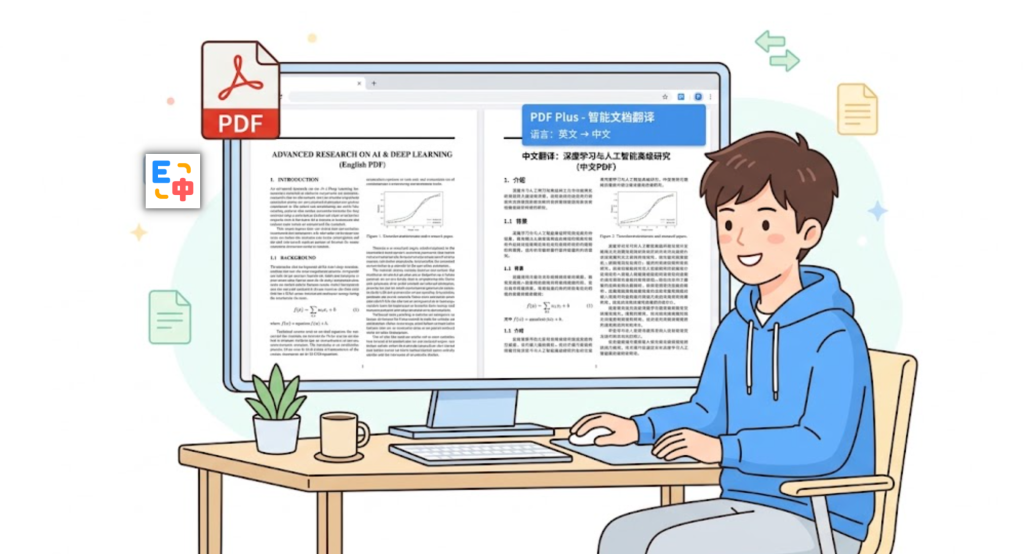
Instead of repeatedly copying paragraphs into a translation service and switching between windows, you can translate the document as a whole and read the translated content in a layout that remains close to the original.
What Is the Best PDF Translation Extension for Academic Papers?
For simple PDFs containing ordinary selectable text, a standard PDF translation tool may be enough. However, academic papers and professional documents often require more advanced document processing.
A good PDF translation solution should ideally handle:
- Complex academic layouts
- Two-column and three-column documents
- Mathematical formulas
- Tables and charts
- Scanned PDF files
- Images and other non-standard elements
- Bilingual comparison between the original and translated content
- Preservation of the original document layout
This is where SelectTranslate PDF Plus is particularly useful. It is specifically designed for academic papers and professional documents and uses multimodal AI and OCR technology to process complex PDF content.
Why Is Translating PDFs More Difficult Than Translating Plain Text?
A PDF is not simply a text document.
A typical research paper may contain multiple columns, headings, footnotes, formulas, diagrams, tables, references, and embedded images. Extracting all of that content as plain text can change the original reading order and make it difficult to understand which translation belongs to which part of the document.
Scanned PDFs present an additional challenge. In many scanned documents, the text is stored as an image rather than as selectable characters. A conventional text-based translator may therefore be unable to read the content at all.
For this reason, PDF translation is not just a language problem. It is also a document parsing, OCR, layout reconstruction, and content recognition problem.
How to Translate a PDF with SelectTranslate PDF Plus
If you are wondering how to translate a PDF document, the basic workflow is straightforward.
Step 1: Open Document Translation
Open SelectTranslate and go to the Document Translation section.
For ordinary PDFs, the standard PDF translation feature can handle everyday documents. For academic papers, complex layouts, formulas, or scanned files, PDF Plus is the recommended option.
Step 2: Upload Your PDF
Upload the PDF you want to translate.
PDF Plus allows you to configure options such as the translation model, target language, translation mode, and page range before starting the translation.
Step 3: Let PDF Plus Process the Document
PDF Plus uses multimodal AI and OCR-based visual processing to recognize different types of content in the document.
This includes ordinary text as well as mathematical formulas, tables, images, and scanned content. It can also process two-column and three-column layouts.
Step 4: Read and Compare the Translation
After translation, you can read the translated document while maintaining a connection between the original and translated content.
PDF Plus provides side-by-side review functionality: selecting an original paragraph can locate the corresponding translation, while selecting the translation can lead back to the original paragraph.
This is particularly useful when reading technical papers where you occasionally need to verify the original terminology or wording.
Can PDF Plus Translate Complex Academic Papers?
Yes. This is one of the primary use cases for PDF Plus.
Academic papers often contain content that basic PDF translators struggle with, including mathematical formulas, chemical structures, reaction formulas, tables, images, and complex multi-column layouts.
PDF Plus is designed to recognize these elements separately rather than treating the entire page as ordinary text. Its document-processing system can extract text, formulas, images, tables, molecular structures, chemical reaction formulas, and even handwritten content, while translating the relevant textual content.
For fields such as computer science, engineering, mathematics, physics, chemistry, and other research-heavy disciplines, this can make a significant difference to the reading experience.
Can It Translate Scanned PDF Documents?
Yes. PDF Plus supports scanned PDF translation.
A scanned PDF usually consists of page images rather than an actual text layer. This means you cannot necessarily select or copy the words inside it.
PDF Plus combines OCR with multimodal document parsing to recognize text in scanned documents and make that content available for translation.
This makes it useful for scanned research papers, archived documents, scanned reports, books, and other image-based PDFs.
It is worth noting that the standard free PDF translation feature does not currently support scanned PDFs; for scanned documents, SelectTranslate recommends using PDF Plus.
What About PDFs With Mathematical Formulas?
Formula-heavy papers are another common problem with conventional PDF translators.
A paper in mathematics, physics, computer science, or engineering may contain equations throughout nearly every page. Simply extracting the text can cause formulas to become mixed with surrounding paragraphs or lose their original structure.
PDF Plus is designed to recognize complex formulas as document elements. It can preserve formulas and charts while translating the surrounding textual content, making it more suitable for professional and academic documents than a basic text-extraction workflow.
This means you can focus on understanding the explanation around an equation without constantly switching back to the original PDF to check whether the formula was corrupted.
Can the Original PDF Layout Be Preserved?
Preserving the layout is one of the most important factors when translating a professional PDF.
A translation that produces accurate sentences but destroys the document structure can still be difficult to use. This is especially true for academic papers, where the relationship between paragraphs, figures, tables, formulas, and headings matters.
PDF Plus is designed to reconstruct complex layouts and supports two-column and three-column layout conversion. Its PDF export can also preserve the layout and style of the translated document as displayed in the online translation view.
The result is closer to an actual translated document rather than a separate block of extracted text.
Why Bilingual PDF Reading Is Useful for Research
For academic reading, you do not always want to hide the original language completely.
When a concept is unfamiliar, you may want to check the original sentence. When a technical term has several possible translations, comparing the source and translation can help you determine the intended meaning.
PDF Plus provides a bilingual comparison and side-by-side review workflow that connects original paragraphs with their corresponding translations.
This creates a more immersive reading experience while still allowing you to verify important details against the source.
It is especially useful when:
- Reading an important research paper for the first time
- Checking technical terminology
- Comparing a translation with the original
- Learning academic English
- Reviewing methodology and experimental details
- Understanding papers outside your primary research field
Who Should Use a PDF Translation Extension?
Researchers and Graduate Students
If you regularly read papers from international journals, conferences, or research repositories, PDF Plus can reduce the friction caused by language barriers.
Instead of translating isolated paragraphs, you can work with the entire paper while keeping the original document structure.
University Students
Students often need to read papers and textbooks written in English but may not be comfortable reading every technical passage in the original language.
A bilingual PDF workflow allows students to use the translation when needed while still referring to the original text.
Engineers and Developers
Technical documentation, research papers, standards, white papers, and engineering reports often contain specialized terminology and complex diagrams.
A PDF translation tool that understands document structure is more suitable for these materials than a simple copy-and-paste workflow.
Professionals Working With International Documents
Business reports, industry research, technical specifications, and international documents can be lengthy and difficult to translate manually.
Whole-document PDF translation can reduce the repetitive work involved in processing these materials.
PDF Translation Extension Recommendation: What Should You Look For?
When choosing a PDF document translation extension, do not evaluate it solely by whether it can translate ordinary text.
For serious PDF reading, consider whether the tool can handle the actual document formats you encounter.
If you mainly translate simple PDFs, a standard PDF translator may be sufficient.
If you frequently work with academic papers or professional documents, look for support for:
Complex layouts: Can it handle two-column and three-column papers?
Formulas: Can it recognize and preserve mathematical formulas?
Scanned PDFs: Does it include OCR for image-based documents?
Tables and images: Can it distinguish these elements from ordinary text?
Bilingual reading: Can you easily compare the original with the translation?
Layout preservation: Can the translated document maintain the original visual structure?
PDF Plus is built specifically around these more demanding scenarios.
PDF Plus vs. Ordinary PDF Translation
For everyday PDF files, the standard PDF translation function in SelectTranslate provides fast translation while preserving the original document format and supporting bilingual reading.
PDF Plus is intended for more complicated documents.
The key difference is its use of multimodal AI and OCR-based parsing. This allows it to handle scenarios such as complex formulas, scanned documents, tables, and multi-column layouts that are more difficult for conventional PDF parsing methods.
A simple way to think about it is:
Simple PDF → standard PDF translation
Academic paper, formula-heavy PDF, complex layout, or scanned PDF → PDF Plus
This makes it easier to choose the right translation method according to the document itself.
A More Immersive Way to Read Foreign-Language PDFs
The goal of a good PDF translator is not merely to replace English words with another language.
For long academic papers and professional documents, the real value comes from reducing interruptions throughout the reading process.
You should not have to repeatedly copy a paragraph, open another translation website, paste it, return to the PDF, find your place again, and repeat the same process dozens of times.
With SelectTranslate PDF Plus, the document itself becomes the center of the translation workflow. Complex content can be recognized, translated, reviewed side by side, and exported while retaining the document’s layout and style.
For anyone who reads foreign-language research papers regularly, this can turn PDF translation from a fragmented process into a much more continuous reading experience.
Final Recommendation
If you are searching for a PDF document translation extension for everyday files, academic papers, technical documents, or scanned PDFs, the right choice depends largely on the complexity of your documents.
For simple text-based PDFs, standard PDF translation is usually enough.
For research papers with formulas, tables, multi-column layouts, images, or scanned pages, SelectTranslate PDF Plus is a more suitable option because it is specifically designed for complex academic and professional documents.
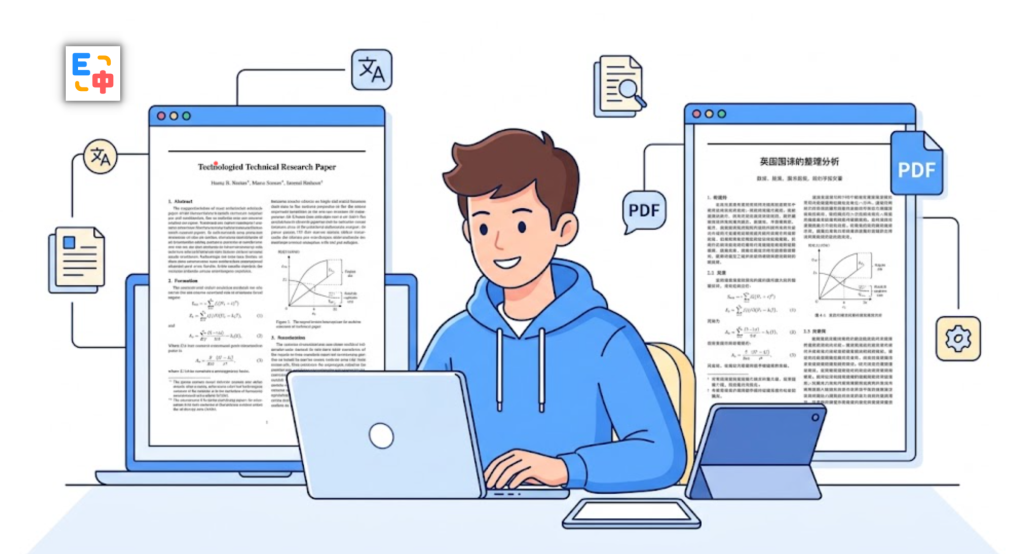
With multimodal AI, OCR processing, complex element recognition, bilingual comparison, layout reconstruction, and PDF export, PDF Plus is designed to make foreign-language documents easier to understand without forcing you to sacrifice the original reading structure.
If your goal is simply to read a foreign-language PDF without constantly fighting the language barrier, PDF Plus offers a more complete approach to document translation and immersive reading.
FAQ: PDF Document Translation
Can I translate a PDF directly without copying the text?
Yes. SelectTranslate allows you to upload a PDF through its Document Translation feature instead of manually copying and pasting paragraphs.
Can SelectTranslate translate scanned PDFs?
Yes. PDF Plus supports scanned PDF translation using OCR and multimodal document processing. The standard free PDF translation feature does not currently support scanned PDFs, so PDF Plus should be used for this type of document.
Can PDF Plus handle papers with mathematical formulas?
Yes. PDF Plus is designed to recognize complex formulas and other professional document elements while translating the surrounding textual content.
Will the translated PDF keep its original layout?
PDF Plus is designed to reconstruct complex layouts and supports two-column and three-column documents. Translated content can also be exported as a PDF while preserving the layout and style of the online translation view.
Is SelectTranslate suitable for academic research?
Yes. PDF Plus is specifically designed for academic papers and professional documents, including documents containing formulas, tables, scanned pages, and complex layouts.
In short: if you only need to translate simple PDF text, a basic PDF translator may be enough. If you regularly read academic papers, formula-heavy documents, complex professional PDFs, or scanned files, SelectTranslate PDF Plus provides a more comprehensive way to translate and read them in context.