
Twitch is more than a livestreaming platform. It is a global community where viewers from different countries interact in real time. Whether you are watching gaming streams, esports, music, VTubers, or Just Chatting, the chat can be just as engaging as the stream itself.
But there is one common problem for international viewers: language barriers.
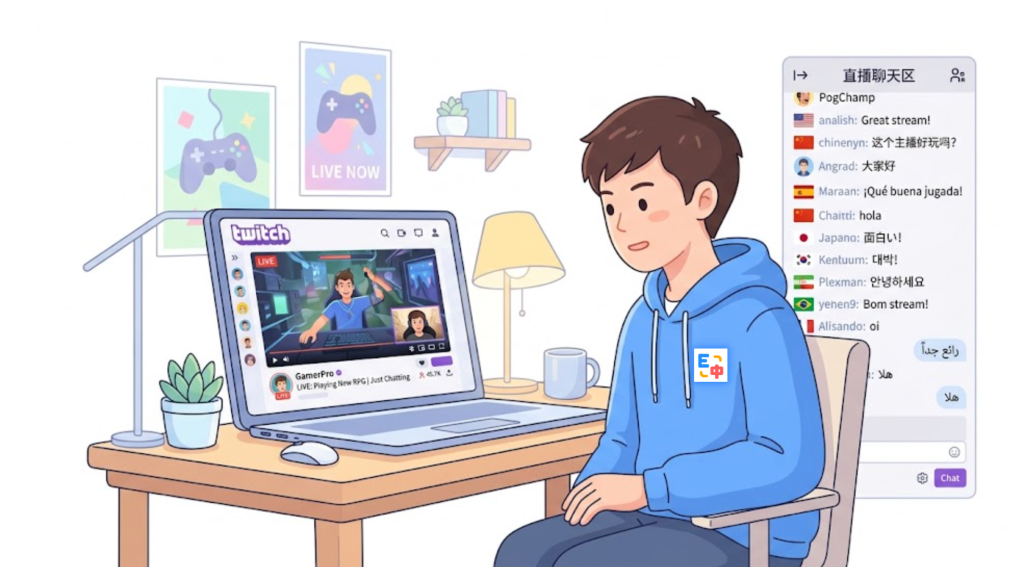
You may be watching an English-speaking streamer while the chat is filled with Spanish, Japanese, Korean, Portuguese, Arabic, or other languages. You might understand some of the messages but struggle to follow the conversation or respond naturally.
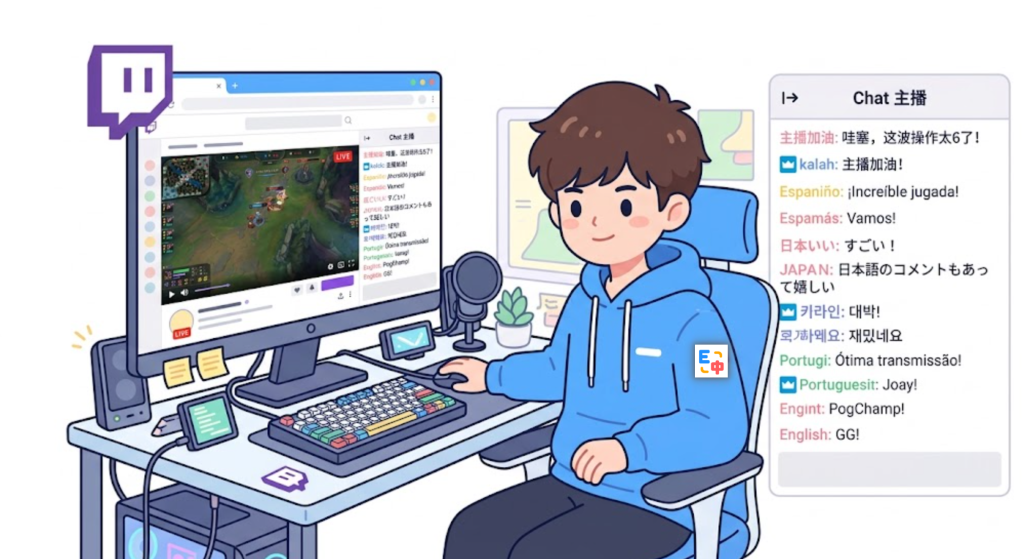
If you are looking for a free translation extension to make Twitch more accessible, SelectTranslate can help. With features such as bilingual webpage translation and input translation, you can understand foreign-language content on Twitch and translate your own messages before joining the conversation.
Why Does Twitch Chat Need Translation?
Unlike a traditional webpage or article, Twitch chat moves extremely quickly. Messages can appear and disappear within seconds, especially during popular streams.
The language used in Twitch communities also tends to be highly conversational. Viewers frequently use slang, abbreviations, gaming terminology, memes, emojis, and community-specific expressions.
For example, you might enter an international gaming stream and see messages like:
“¿Qué acaba de pasar?”
“これはすごい!”
“이 장면 미쳤다”
Even if you are comfortable with English, another language appearing in the middle of a fast-moving conversation can make it difficult to follow what is happening.
The usual workaround is to copy each message, open a translation website, paste the text, translate it, and then return to Twitch. That process quickly becomes frustrating because the conversation may have moved on by the time you finish.
This is where a free translation extension can make a practical difference. Instead of constantly switching between websites, you can translate content while browsing.
Use SelectTranslate to Understand Twitch Chat with Bilingual Translation
SelectTranslate provides bilingual webpage translation, allowing you to view the original text alongside the translated version.
This is particularly useful on Twitch because chat messages often contain names, game terms, abbreviations, memes, and slang that can be difficult to interpret correctly when the original text disappears.
For example, imagine you are watching an international esports stream. Viewers are discussing a player’s recent play, but the conversation contains unfamiliar gaming terminology.
With SelectTranslate, you can use bilingual translation to understand the translated content while keeping the original text visible.
This gives you more context than simply replacing the original language with a translation. If a translation seems unusual, you can compare it with the original message and use the surrounding conversation to understand what the viewer actually meant.
For international Twitch users, this makes following multilingual conversations much easier.
Don’t Just Read Twitch Chat—Reply with Input Translation
Understanding what other viewers are saying is only half of the problem.
Many users can understand translated messages but still struggle with a more important question:
“How do I respond in another language?”
For example, another viewer might ask:
“Where are you watching from?”
You may understand the question immediately, but if you want to reply:
“I’m from China. This is my first time watching this streamer.”
you may not know how to express it naturally in English.
This is where SelectTranslate input translation becomes useful.
Instead of composing your message in a language you are not comfortable with, you can write what you want to say in your native language and translate it into the language used by the Twitch community.
The workflow is simple:
Read a foreign-language message → Translate it with bilingual webpage translation → Understand the context → Write your response in your own language → Use input translation → Send the translated message.
This makes it much easier to participate in international Twitch communities even if you are not fluent in the language being used.

Why Bilingual Translation + Input Translation Works Better
Twitch is a two-way communication platform.
A translation tool that only translates incoming messages solves one problem: understanding what other people are saying.
But it does not solve the second problem: expressing yourself in another language.
For example, imagine you are watching a Japanese gaming streamer. You see viewers discussing a strategy in Japanese. You can use SelectTranslate to understand their conversation.
If you want to contribute your own opinion, you can use input translation to turn your message into Japanese before posting it.
The same workflow applies to English, Spanish, Korean, Portuguese, French, German, Arabic, and many other languages.
This makes translation part of the conversation rather than a separate task.
Why Use SelectTranslate as a Free Translation Extension?
If you only need to translate an occasional Twitch message, a standard online translator may be enough.
But if you regularly browse international websites, installing a free translation extension that supports multiple scenarios can be much more convenient.
SelectTranslate is designed for more than Twitch. It supports webpage translation, bilingual webpage translation, input translation, selection translation, hover translation, video subtitle translation, and PDF translation.
That means the same translation extension can be useful across your everyday online activities.
For example, you can use SelectTranslate to understand Twitch chat, translate subtitles while watching international videos, read discussions on Reddit, communicate on international websites, or translate technical documents.
Instead of maintaining a different translation workflow for every platform, you can use one browser extension across multiple types of content.
Twitch Is Global, but Language Barriers Still Exist
Twitch connects streamers and viewers from around the world, but global access does not automatically mean global communication.
A streamer may be based in the United States, while viewers in the same chat come from Brazil, Japan, Germany, South Korea, Spain, or other countries.
Everyone can watch the same stream, but they may not speak the same language.
This becomes particularly noticeable in large livestreams where messages appear rapidly and several languages can be used simultaneously.
Leaving Twitch every few seconds to translate individual messages makes it difficult to keep up with a live conversation.
A browser-based free translation extension can reduce this friction by keeping translation closer to the content you are already viewing.
With SelectTranslate, bilingual webpage translation helps you understand foreign-language content, while input translation helps you communicate back.
In other words:
Bilingual translation helps you understand. Input translation helps you participate.
How to Translate Twitch Chat with SelectTranslate
Getting started is straightforward.
First, install SelectTranslate as your translation extension and open Twitch in your browser.
When you enter a livestream with foreign-language content, use bilingual webpage translation to understand the page and chat content.
If you encounter a specific message that you want to understand in more detail, you can also use translation features such as selection translation.
When you want to join the conversation, use input translation to write your message in your preferred language and convert it into the target language used by the community.
For example, if an English-speaking Twitch community is discussing a game, you can write your response in your native language and translate it into natural English before posting.
If the community is primarily Japanese-speaking, you can translate your message into Japanese instead.
This removes one of the biggest barriers to participating in international livestream communities.
A Free Translation Extension Is More Than a Text Translator
When people search for a free translation extension, they often have a simple goal: translate English into their native language.
But on international platforms such as Twitch, Reddit, YouTube, Discord, and other online communities, translation serves a much broader purpose.
The real challenge is not simply:
“How do I translate this sentence?”
It is:
“How can I understand people who speak another language and participate in the same conversation?”
Twitch is a perfect example.
A streamer may be from the United States, one viewer may be from Japan, another from Brazil, and another from Germany. Everyone is watching the same livestream, but they may communicate in completely different languages.
SelectTranslate helps bridge that gap by supporting both sides of the conversation: understanding foreign-language content and translating your own messages.
For international Twitch viewers, the combination of SelectTranslate + bilingual webpage translation + input translation creates a practical workflow for following multilingual chats and joining global conversations.
FAQ: Twitch Chat Translation
Can SelectTranslate translate Twitch chat?
Yes. SelectTranslate can help you translate foreign-language content while browsing Twitch, including through bilingual webpage translation. You can also use input translation when you want to write and send messages in another language.
Is SelectTranslate a free translation extension?
SelectTranslate offers free translation features for everyday use. Available features and usage limits may vary depending on the current product version and plan.
Can I chat with international Twitch viewers if I don’t speak their language?
Yes. You can use bilingual webpage translation to understand what other viewers are saying and input translation to convert your own messages into the language used by the community.
Why is bilingual translation useful for Twitch chat?
Twitch conversations often contain gaming terms, slang, abbreviations, usernames, memes, and community-specific expressions. Keeping the original text alongside the translation gives you additional context and makes it easier to judge the meaning of a translated message.
Can SelectTranslate translate websites other than Twitch?
Yes. SelectTranslate supports webpage translation, video subtitle translation, PDF translation, input translation, selection translation, hover translation, and other translation features for browsing international content.
If you regularly watch international Twitch streams and want to do more than simply watch from the sidelines, SelectTranslate can help make multilingual communication easier: bilingual webpage translation helps you understand the conversation, while input translation helps you join it.