
YouTube Live is one of the easiest ways to follow what is happening around the world in real time. From AI product launches and tech events to gaming streams, interviews, online classes, business discussions, and international news, there is an enormous amount of content available in languages you may not fully understand.
The problem is that live streams move quickly. Unlike regular YouTube videos, you cannot always pause and replay every sentence without missing what comes next. When a streamer speaks quickly, uses unfamiliar expressions, or switches to a language you are not comfortable with, it can be difficult to keep up.

This is where a free translation extension can make a real difference. Instead of constantly copying text into a separate translation website, you can translate available video subtitles directly while watching the stream.
Can’t Understand a YouTube Live Stream? Try SelectTranslate
If you regularly watch YouTube Live content in other languages, SelectTranslate can help translate available live-stream subtitles while you watch.
SelectTranslate is a browser-based translation extension designed to make multilingual web content easier to understand. Its video subtitle translation feature can be useful when watching international YouTube content, including live streams with available subtitles.
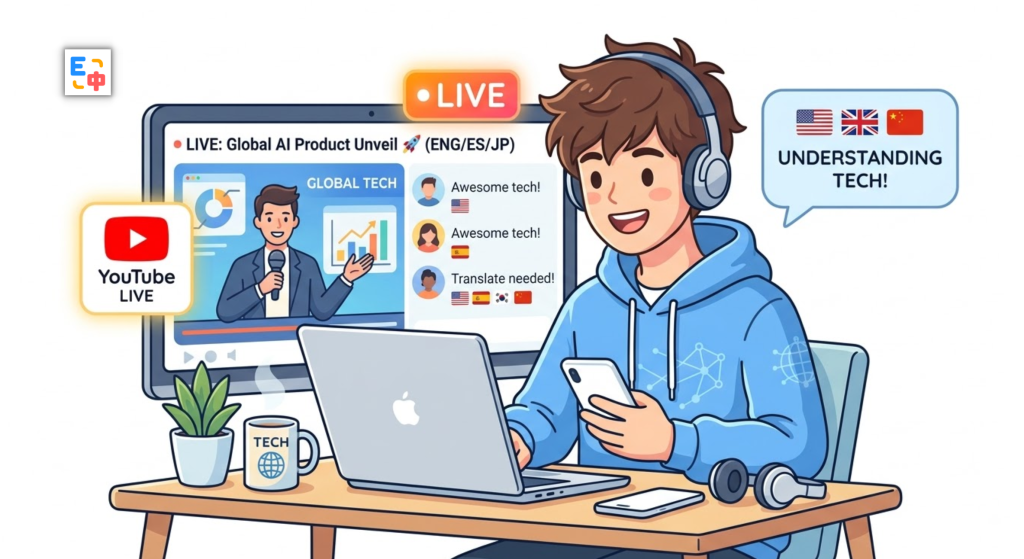
For example, imagine you are watching an English-language AI livestream. The host is explaining a new model, discussing its API, and introducing several technical features. Even if you understand conversational English, technical terminology and fast-paced explanations can make it difficult to follow everything.
With SelectTranslate, you can translate the available subtitles into your preferred language and follow the discussion without constantly leaving YouTube to look up individual sentences.
Why Translating YouTube Live Streams Is Different
Watching a recorded video in another language is relatively easy. You can pause the video, replay a section, search for unfamiliar words, and take your time understanding the context.
Live streams are different.
The conversation keeps moving forward. A host may explain one topic for a few seconds before immediately moving to another. Interviews can involve multiple speakers, while gaming streams and live discussions often include slang, abbreviations, and informal expressions.
This creates a common problem for international viewers:
You understand enough to know what is happening, but not enough to catch everything in real time.
That is why many people look for a free translation extension that works directly in the browser. The goal is not simply to translate isolated sentences. It is to make foreign-language content easier to follow without constantly switching between different tools.
How SelectTranslate Helps You Follow Foreign-Language Livestreams
SelectTranslate is designed to reduce the friction between watching and translating.
Instead of following a workflow like:
Watch YouTube → stop the stream → copy the subtitle → open a translation website → translate → return to YouTube
you can use SelectTranslate to translate available video subtitles within the viewing experience.
This can be particularly useful for international content such as:
- AI and technology livestreams
- Software and programming events
- Product launches
- Gaming streams
- Online interviews
- Business discussions
- Educational livestreams
- International conferences
- Creator livestreams
For viewers who regularly consume content in English, Spanish, Arabic, Japanese, Korean, or other languages, subtitle translation can make unfamiliar content much easier to follow.
A Practical Example: Watching an Overseas AI Livestream
Suppose you are watching a livestream from an AI company.
The presenter is speaking quickly and explaining a new model architecture. The subtitles contain terms such as “inference,” “context window,” “deployment,” “fine-tuning,” and “API integration.”
You may understand some of these terms but miss the meaning of the full explanation because the presentation is moving quickly.
With SelectTranslate, you can use the available subtitles as a bridge between the original language and your preferred language.
The basic experience looks like this:
Live stream → Original subtitles → SelectTranslate → Translated subtitles → Easier real-time understanding
This is especially useful when the goal is to understand the overall discussion rather than stop every few seconds to translate individual phrases.
Why a Free Translation Extension Is Useful for International Viewers
Language barriers are not limited to people learning English.
An English-speaking viewer may want to watch a Japanese technology livestream. A Spanish-speaking viewer may want to follow an English developer conference. A German-speaking viewer may want to watch an Arabic interview. A French-speaking viewer may want to understand a Spanish-speaking creator.
The internet is global, but language is still one of the biggest barriers to accessing information.
A browser-based free translation extension can help bridge that gap by bringing translation closer to the content itself.
SelectTranslate is built for this kind of multilingual browsing experience. Instead of treating translation as a separate task, it can become part of the way you consume websites and online video content.
What Types of YouTube Live Streams Work Well with SelectTranslate?
SelectTranslate can be particularly useful for livestreams where understanding spoken information quickly matters.
For example, you might be watching a product announcement from a company in another country, following a developer livestream, learning from an international online course, or watching a creator discuss a topic in a language you are still learning.
It can also be helpful when the content contains specialized terminology. Technical, academic, financial, and business livestreams often use vocabulary that is much harder to understand than everyday conversation.
Having translated subtitles available can give you additional context and help you keep up with the discussion.
Does YouTube Live Need to Have Subtitles?
For subtitle translation, the livestream needs to provide usable subtitle content.
SelectTranslate translates the available subtitle content rather than independently converting every livestream audio signal into translated text. If a livestream does not provide usable subtitles, the subtitle translation workflow cannot work in the same way.
YouTube’s own live-caption availability can depend on factors such as the stream, language, audio quality, and YouTube’s supported caption features.
For the best experience, check whether subtitles or live captions are available on the YouTube livestream before using the subtitle translation feature.
SelectTranslate: A Free Translation Extension for Watching Global Content
For people who regularly watch international content, translation is no longer limited to translating webpages or individual sentences.
You may need translation while watching a YouTube livestream, reading a technical discussion, following an overseas creator, or learning from an online event.
SelectTranslate brings these translation scenarios closer to your everyday browsing experience. Its video subtitle translation feature can help viewers understand available subtitles while following foreign-language YouTube content.
If you frequently find yourself thinking, “This livestream looks interesting, but I don’t understand the language,” a free translation extension can make international content much more accessible.
FAQ: YouTube Live Subtitle Translation
Q1: Can SelectTranslate translate YouTube Live streams?
Yes. SelectTranslate supports video subtitle translation and can translate available subtitles while watching supported YouTube livestreams.
Q2: Can SelectTranslate translate a YouTube livestream without subtitles?
The subtitle translation feature relies on available subtitle content. If a livestream does not provide usable subtitles, SelectTranslate cannot translate the stream through this subtitle-based workflow.
Q3: Is SelectTranslate useful for watching international YouTube content?
Yes. It can be useful for viewers who want to watch content in languages they do not fully understand, including technology events, gaming streams, interviews, educational content, and other international videos.
Q4: Is SelectTranslate a free translation extension?
SelectTranslate provides free translation extension functionality. Available features and usage limits may vary depending on the current product plan.
Q5: Can SelectTranslate translate more than YouTube livestream subtitles?
Yes. SelectTranslate supports multiple translation scenarios, including webpage translation and video subtitle translation, making it useful for browsing and consuming content across different languages.