
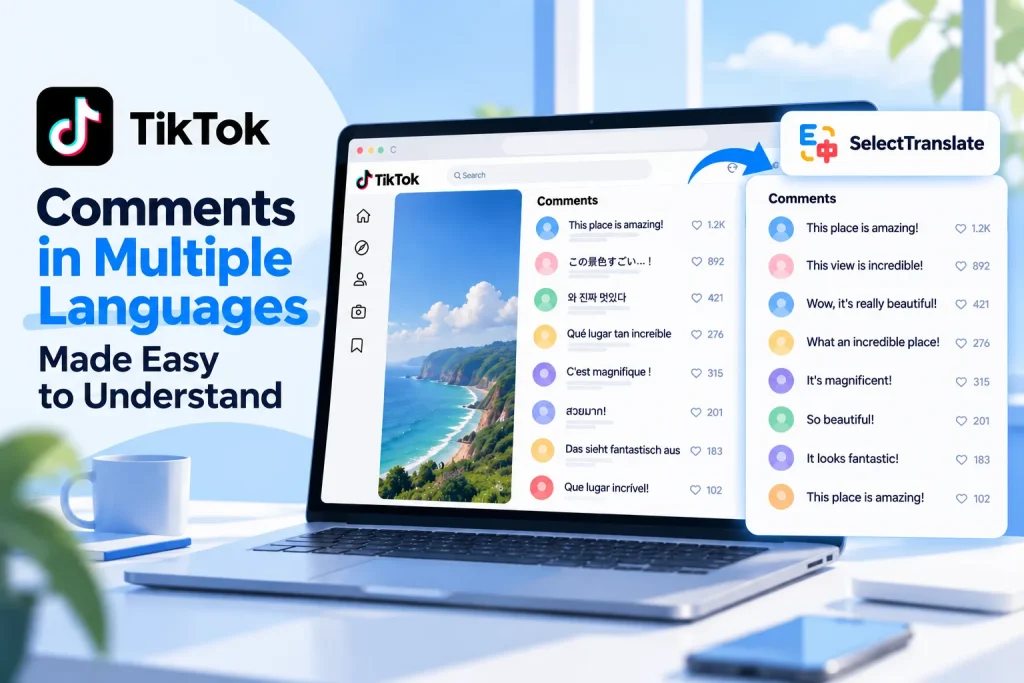
You open the comments on a TikTok video and immediately notice something unusual: one person is writing in Spanish, the next in Japanese, and someone else is replying in Korean. You can understand a few comments, but much of the conversation remains out of reach.
It’s a familiar situation on videos that reach audiences across borders. A football highlight, a viral dance, a travel clip, or a new music release can attract viewers who speak entirely different languages. They may all be reacting to the same video, but they’re not necessarily having the same conversation.
TikTok offers translation options for some comments. The problem is that reading a multilingual comment section involves more than translating one sentence. You may need to understand several languages, follow replies, and make sense of jokes or references that don’t translate neatly.
The most practical approach is to read the comments in a language you’re comfortable with, then check the original wording when context matters. Here’s how to do that without losing track of the discussion.
Why Multilingual TikTok Comments Can Be Hard to Follow
Unlike an article or a news report, a TikTok comment section has no single language. Every viewer can respond in the language they prefer, and a conversation may shift between languages as more people join in.
You might understand the English comments on a viral video while missing the reactions written in Portuguese, Japanese, or Arabic. That gives you only part of the picture, particularly when viewers from different regions bring their own experiences or cultural context to the discussion.
The challenge becomes more noticeable in reply threads. An English comment might receive a question in Spanish, an explanation in French, and a follow-up in another language. Translating only the original comment won’t necessarily tell you why people agree, disagree, or find something funny.
TikTok comments also tend to be short and informal. Slang, abbreviations, emojis, fandom references, and inside jokes leave translation tools with very little context. Even when the words have been translated correctly, the meaning may depend on the video or the replies around them.
For these reasons, reading multilingual comments works best as a two-part process: first get an overview of the discussion, then examine individual comments when something deserves a closer look.
How to Read TikTok Comments in Your Preferred Language
If you only need to understand an occasional comment, TikTok’s built-in translation may be sufficient. Depending on the app version, account, and comment, you may see a See translation option or find a translation action in the comment menu.
That works reasonably well for isolated comments. It becomes less convenient when you encounter multiple languages while scrolling through a busy thread, especially if you want to understand several replies rather than a single reaction.
For people who browse TikTok on a computer, another option is to translate the comments directly on the webpage.
SelectTranslate is a browser translation extension that can translate text in TikTok’s web comment section. Instead of copying individual comments into a separate translator, you can read translations where the comments appear.
To get started, install SelectTranslate, open a TikTok video in your browser, and expand the comments. Then launch webpage translation from the extension’s toolbar icon or floating button and select your preferred target language.
If you’re reading in English, for example, comments written in supported languages such as Spanish, Japanese, Korean, or French can be translated into English on the page. You don’t need to open a different translation service for each language.
Choose the Reading View That Fits Your Goal
For a comment section containing several languages, translation-only mode is usually the easiest place to start. It lets you concentrate on what viewers are saying without repeatedly switching between unfamiliar writing systems.
This is particularly useful when you want a quick sense of audience reactions. Maybe you’re checking how international fans responded to a music release, whether viewers liked a travel destination, or what people think about a controversial moment in a sports clip. Reading the available comments in one language helps you identify the main topics more quickly.
When a particular comment catches your attention, bilingual mode gives you a closer look. It keeps the original wording available alongside the translation, making it easier to check names, informal expressions, and phrases that may have several interpretations.
You can also expand replies before translating them to see more of the conversation. If TikTok loads additional comments as you scroll, you may need to run translation again for the newly displayed content.
The benefit isn’t simply seeing more translated text. It’s being able to move through the comments in their original order while keeping the discussion around each remark visible.
How to Make Sense of Replies, Slang, and Mixed-Language Comments
A translated comment isn’t always a fully understood comment.
On TikTok, the meaning of a short reply often depends on what came before it. A phrase that looks like a compliment in isolation could be sarcastic. An apparently confusing response might be a reference to a trending sound, a creator’s earlier video, or a joke shared within a particular online community.
Before assuming a translation is wrong—or that you understand the commenter’s intention—look at the surrounding conversation. The original comment, its replies, and the video itself may provide the missing context.
Another challenge is code-switching, where someone uses more than one language in the same message. A Spanish comment might contain English internet slang, while a Japanese comment might include an untranslated artist name or game title. Translating every word literally can make these messages harder, rather than easier, to understand.
That’s where keeping access to the original text becomes useful. A translated version can tell you the general point, while the source wording helps you identify terms that should remain unchanged or expressions that may carry a different tone.
You don’t need to scrutinize every comment this way. For casual browsing, understanding the general meaning is usually enough. Reserve the closer reading for replies that are important, confusing, or central to a disagreement.
What If TikTok Doesn’t Show a Translate Option?
Sometimes the difficulty isn’t the number of languages in the comments. It’s that TikTok doesn’t offer a translation option when you expect one.
If you can’t find See translation or a translation action in the comment menu, first try a few complete comments in other videos. This can help you determine whether the option is missing for a particular comment or more broadly in your app.
Next, check whether an app update is available. If the option remains unavailable, you can compare its behavior on another device, if possible, or report the issue through TikTok’s support options.
One important distinction: changing TikTok’s interface language doesn’t necessarily translate the comments. The language used for menus and settings is separate from the translation features available for user-generated content.
If you only need to understand a couple of comments on your phone, your device’s text recognition and translation features may provide a workaround. For longer multilingual discussions, using TikTok in a desktop browser with a webpage translator is another way to keep reading.
Which Approach Works Best for Different Situations?
The best method depends on how much of the conversation you want to read and whether you need to preserve the original wording.
| What you’re trying to do | Recommended approach |
|---|---|
| Understand one unfamiliar comment | Try TikTok’s built-in translation |
| Read a comment section with several languages | Translate the visible comments into your preferred language using SelectTranslate |
| Scan audience reactions quickly | Use translation-only mode |
| Follow replies written in different languages | Expand the thread and read the translated replies together |
| Check slang, names, or ambiguous expressions | Use bilingual mode to compare the translation with the original |
| Read a few comments when the mobile translation option is missing | Try your device’s text recognition and translation tools |
For occasional browsing, TikTok’s built-in translation may be all you need. If you regularly explore international comment sections, having translations available directly on the webpage makes it easier to follow the conversation without treating every unfamiliar comment as a separate task.
Conclusion
One of the interesting things about TikTok is how easily a single video can bring together viewers who speak different languages. The same global reach that makes its comment sections worth exploring can also make them difficult to read.
If you’re only interested in a comment or two, TikTok’s built-in translation is a reasonable starting point. But if you want to follow reactions across several languages, read reply threads, and understand more of the discussion, translating the comments in place is often more practical.
With SelectTranslate, you can read supported foreign-language comments on TikTok’s desktop website in your preferred language. Use translation-only mode for a quick overview, and switch to bilingual reading when the original wording matters.
The goal isn’t to translate every comment perfectly. It’s to understand more of the conversation without losing the context that makes it interesting.
Frequently Asked Questions
Can I translate TikTok comments written in multiple languages into English?
Yes. A multilingual webpage translator such as SelectTranslate can translate supported foreign-language comments displayed on TikTok’s desktop website into English or another chosen language. Short comments, slang, and mixed-language expressions may still need additional context.
Why is TikTok not showing the translation option on some comments?
Translation availability can vary by app version, account, and the comment itself. Try other foreign-language comments, check for app updates, and use an alternative translation method if the option remains unavailable.
Can SelectTranslate translate replies under TikTok comments?
SelectTranslate can translate text in replies that are expanded and visible on TikTok’s desktop webpage. Newly loaded replies may require another translation pass.