

AI Expert
AI Expert is a feature designed for LLM-based translation models. It lets you customize translation style, tone, and domain expertise through prompts, so you get results that better match specific use cases.
This extension comes with built-in AI Experts for mainstream domains, ready to use out of the box. It also lets you create custom AI Expert to meet a wide range of translation needs.
How to Use
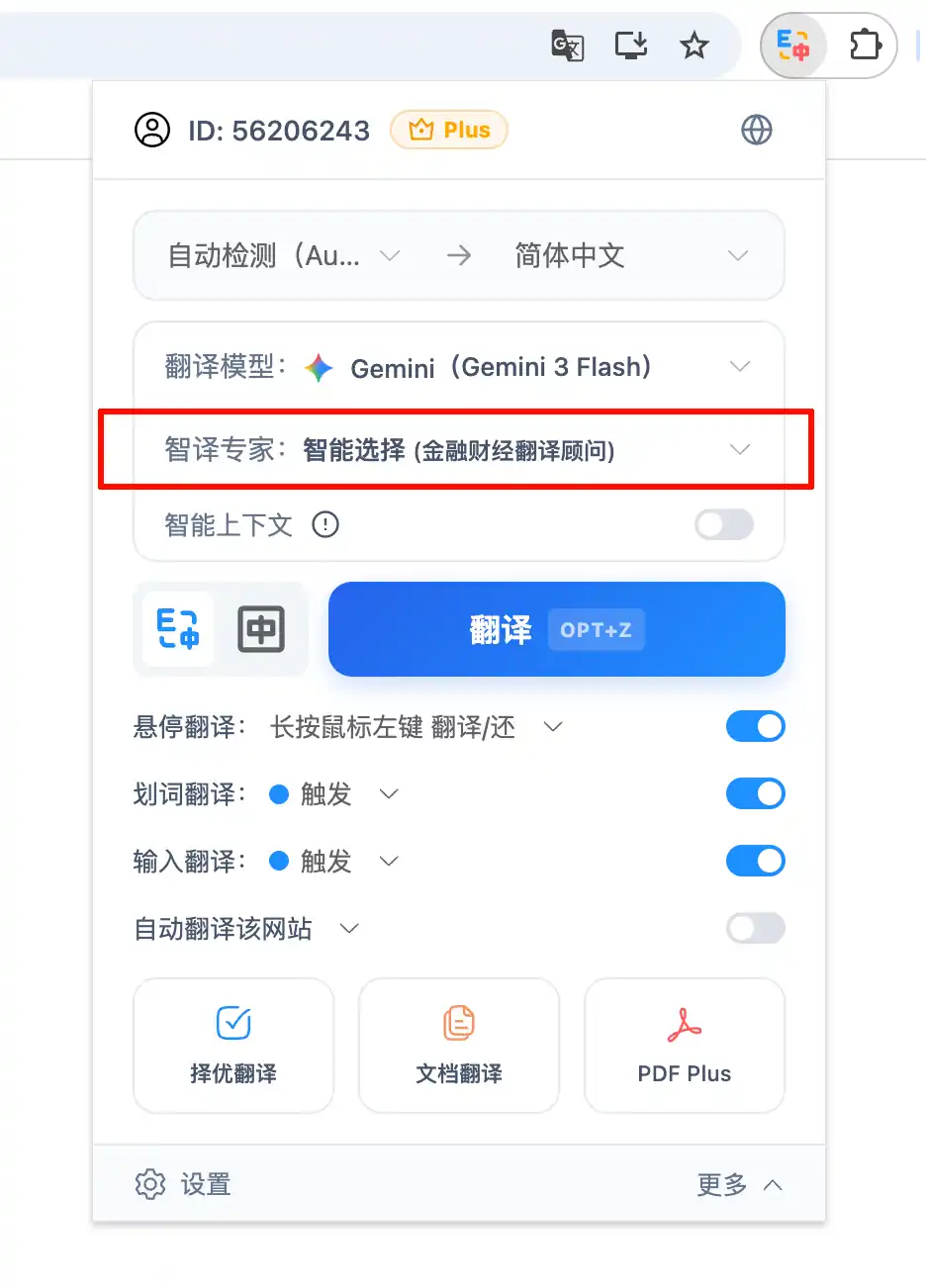
- In the SelectTranslate extension panel, choose a large language model engine, such as GPT, Gemini, or DeepSeek.
- In the AI Expert dropdown below, select the AI Expert you want to use.
- It’s recommended to use the matching Termbase for best results (for example, pair the E-commerce Shopping Assistant with the E-commerce Termbase) to achieve better translation quality.😊
Key Features
- Built-in AI Experts:
- This extension comes with a variety of built-in expert roles that are ready to use out of the box, with no configuration required.
- The covered domains include news media, e-commerce, technology, medicine, fiction and literature, finance, law, travel, and more.
- Each built-in AI Expert is carefully fine-tuned to better adapt to the terminology and style of its respective domain.
- Custom AI Expert:
- Allows you to create your own dedicated AI Expert for translation.
- Role Customization: Define the expert’s identity, guidelines, and translation instructions by configuring the System Prompt and User Prompt.
- Easy Management: Supports creating, duplicating, editing, deleting, and drag-and-drop sorting of experts.
- Intelligent Scenario Matching:
- Allows you to assign specific AI Expert to designated website URLs.
- When you visit these websites, selecting Smart Selection in the extension panel will automatically identify and use the corresponding AI Expert, enabling automated, context-aware translation.
💡 This feature is only available for large language translation models. Traditional machine translation engines do not support it.
🔔 If you encounter any issues or have suggestions, you can submit them on the Feedback page.
🔔 If you encounter any issues or have suggestions, you can submit them on the Feedback page.