

Hover Translation
Hover Translation offers two modes: Translate by paragraph and Translate by area. Hover your mouse over a paragraph or selected area, then press and hold the left mouse button or use the shortcut key to trigger the translation.
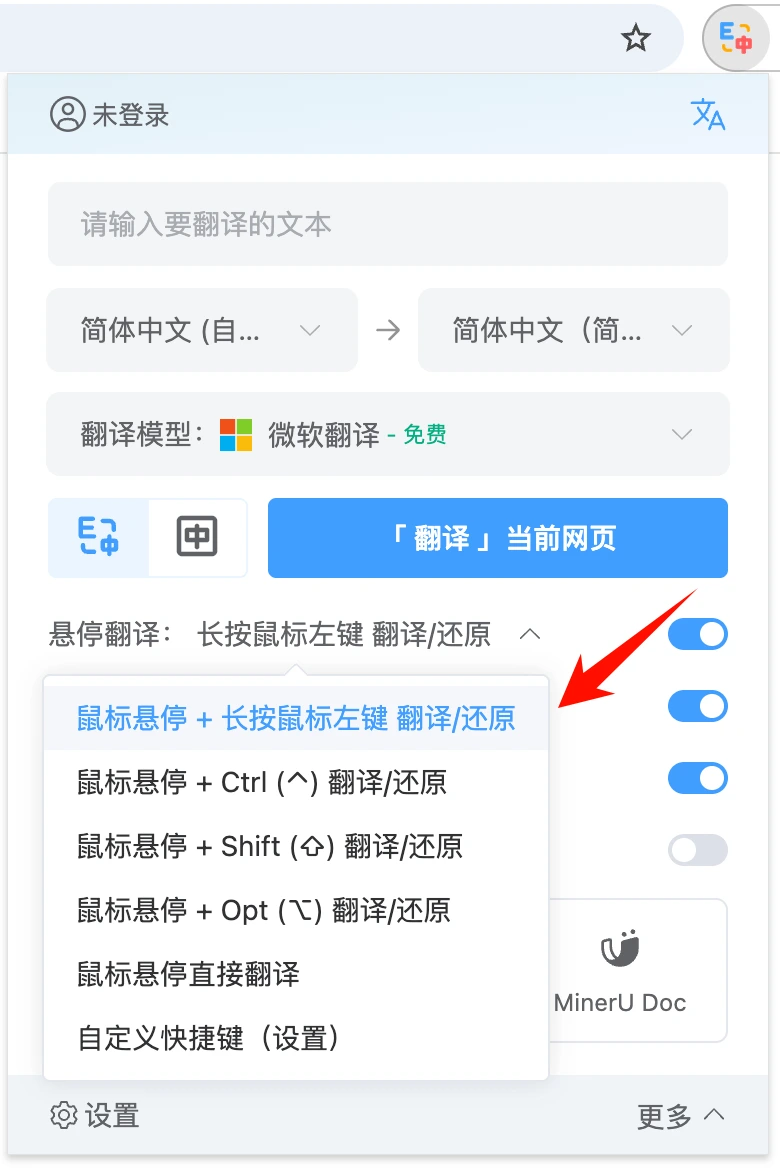
💡 The target language and translation model used for Hover Translation will match the settings in your webpage translation configuration.
💡 Perform the translation trigger action again to cancel the translation and restore the original text.
🔔 If you encounter any issues or have suggestions, you can submit them on the Feedback page.
💡 Perform the translation trigger action again to cancel the translation and restore the original text.
🔔 If you encounter any issues or have suggestions, you can submit them on the Feedback page.