

Video Subtitle Translation
Video Subtitle Translation supports bilingual subtitles on major streaming platforms such as YouTube, Netflix, Disney+, and TED. The AI Subtitle feature enables instant translation even for videos without subtitles.
How to Use
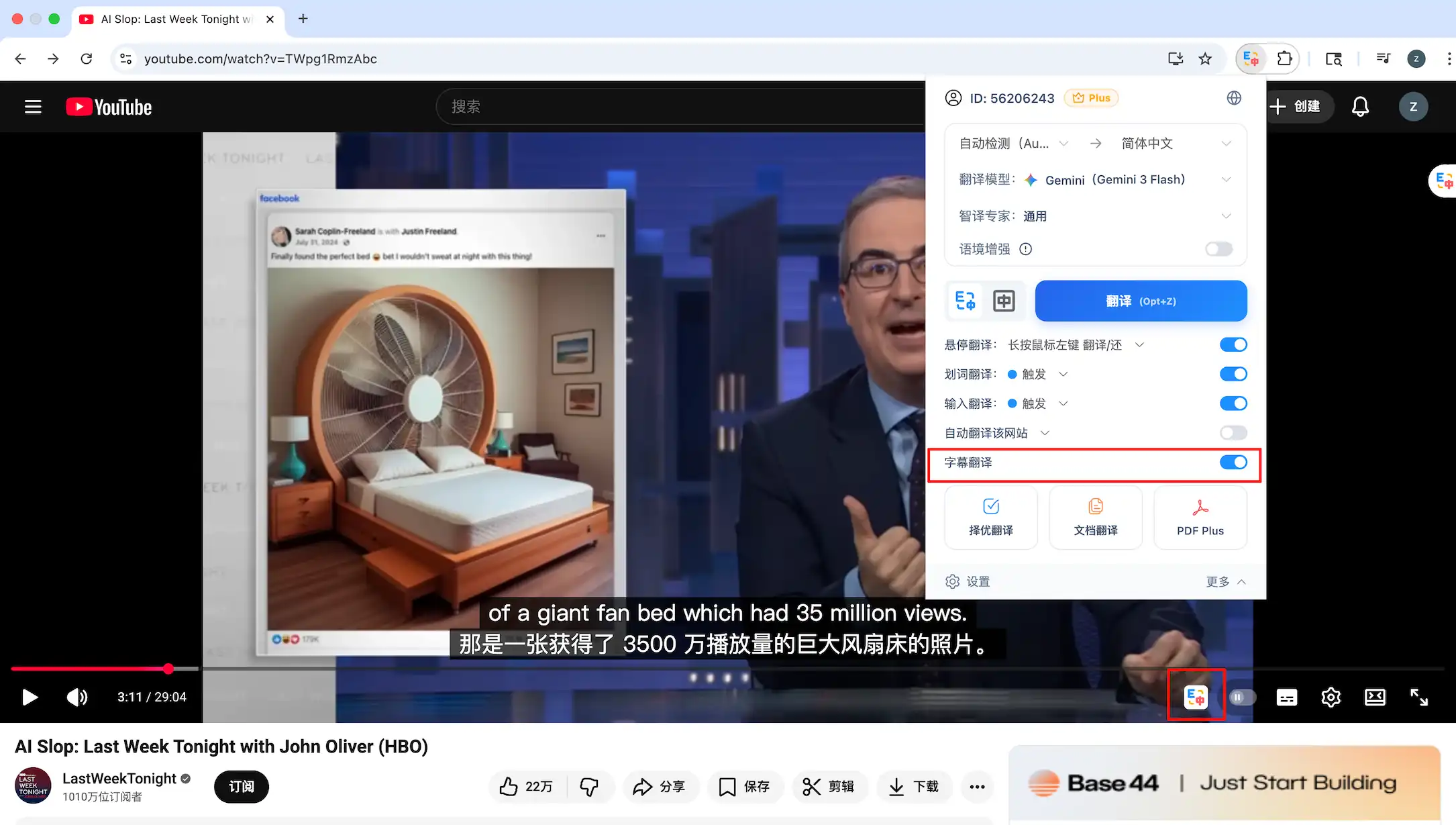
- On a supported video platform page (for example,https://www.youtube.com/watch?v=TWpg1RmzAbc), open the SelectTranslate extension panel and turn on Video Subtitle Translation.
- You can also configure subtitle translation using the SelectTranslate icon below the video.
- If the subtitle translation or its settings don’t take effect after opening the video page, please refresh the page.
AI subtitles
For videos that do not provide native CC subtitles, you can use the AI Subtitles feature. The system will automatically recognize the speech in the video, generate complete subtitles, and then translate them into your target language.
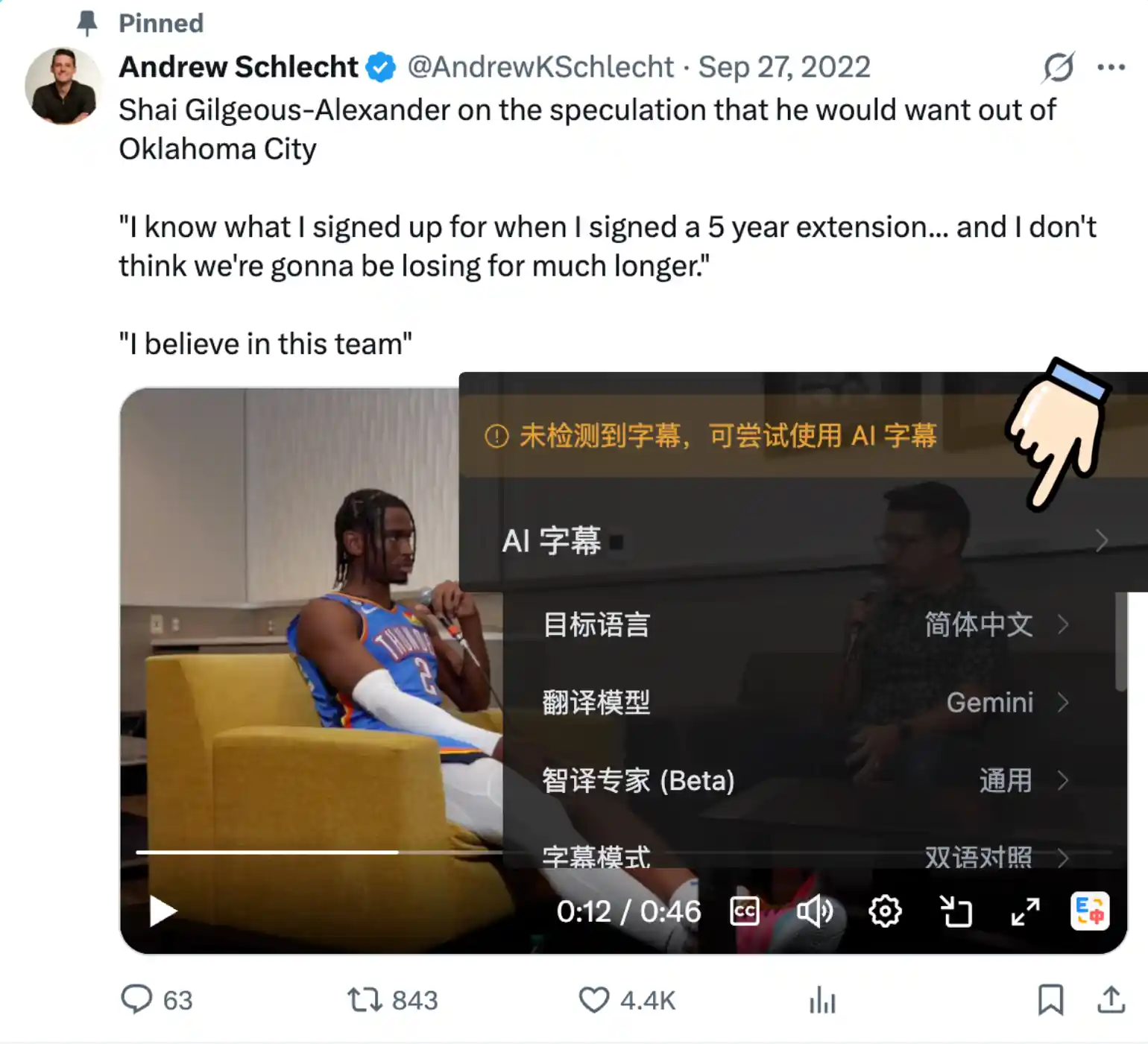
🔔 AI subtitles are currently supported only on YouTube and X (formerly Twitter).
💡 If the video provides subtitles and they’re already enabled but the subtitle translation still doesn’t work, try refreshing the video page.
🔔 If you encounter any issues or have suggestions, you can submit them on the Feedback page.
💡 If the video provides subtitles and they’re already enabled but the subtitle translation still doesn’t work, try refreshing the video page.
🔔 If you encounter any issues or have suggestions, you can submit them on the Feedback page.