

MinerU
MinerU is an open-source document parsing tool from OpenDataLab at the Shanghai AI Lab. It extracts text, layout structure, and related information from PDFs and other documents, and is commonly used for document processing, retrieval, and data analysis.
Application and Setup Process
This tutorial walks you through four simple steps to help you complete the Application and Setup of a MinerU API token.
Step 1: Log in to your MinerU account
- Head over to MinerU and click Login in the top-right corner.
- If you haven’t registered yet, click Sign Up, enter your phone number or email address and password, and complete the registration.
Step 2: Apply for an API Token
- After signing in, click API in the top navigation bar to go to the API Management page.
- Fill out the MinerU API Application Form and submit your API request.
- After submitting your request, wait for it to be approved.
Step 3: Create an API Token
- Once your request is approved, you will receive an email notification.
- Go to the API Management page.
- Click Create API Token in the bottom-left corner of the interface.
- Copy and securely save the generated token.
Step 4: Configure the API Token
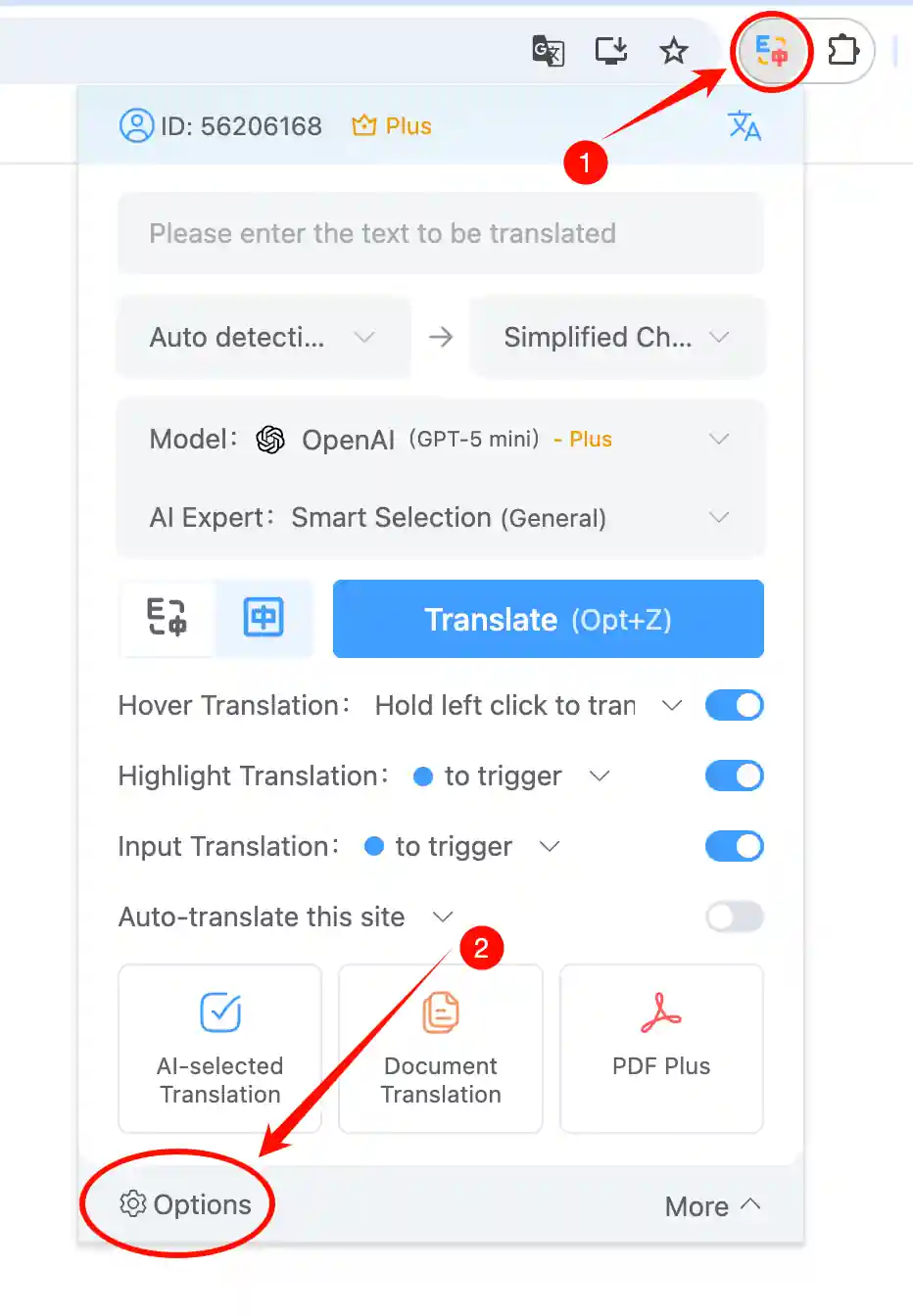
- Click the extension icon in the top-right corner of your browser to open the extension Options page.
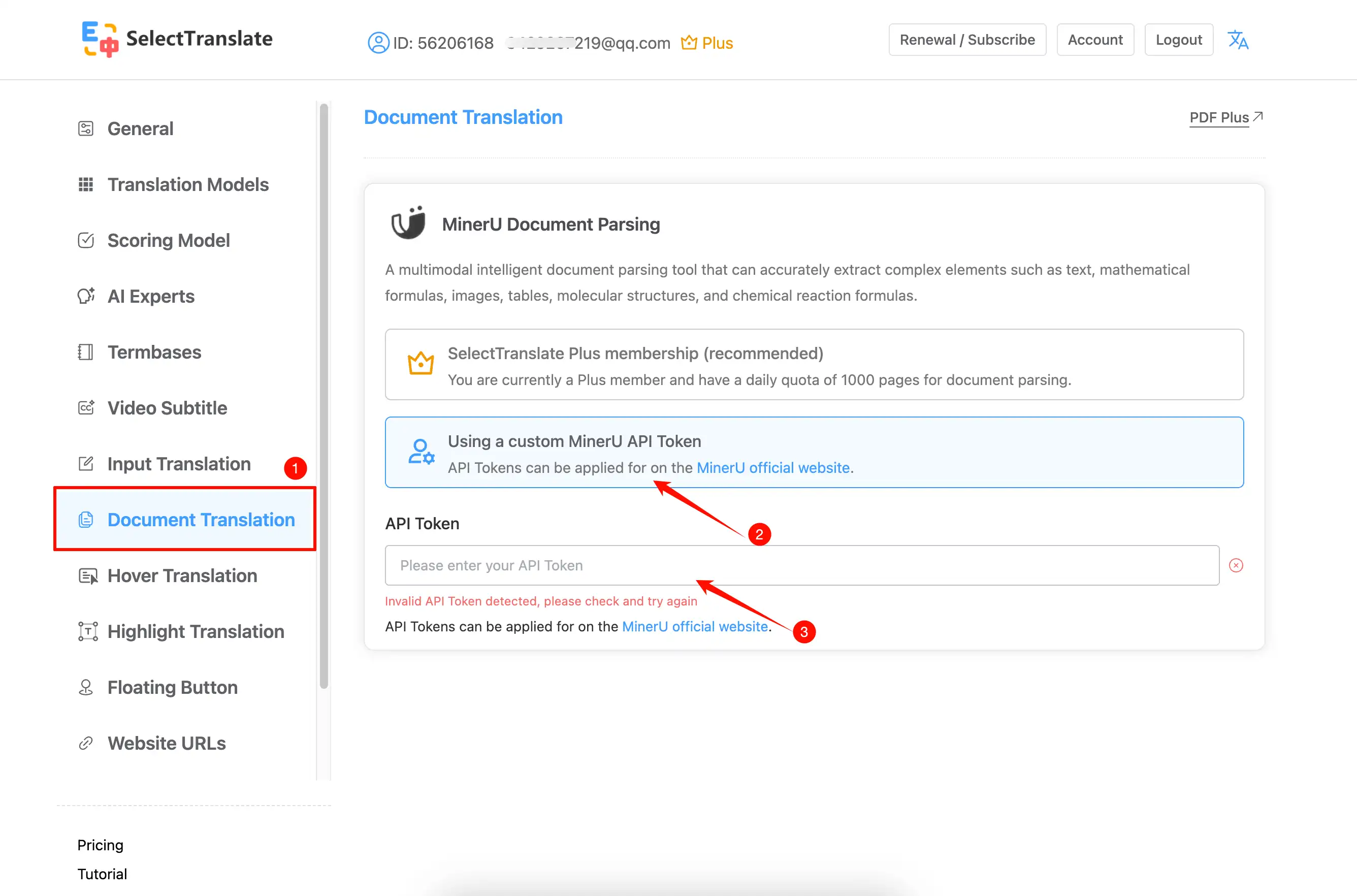
- Go to the document translation settings, select Using a custom MinerU API Token, and paste the generated token.
⚠️ All API tokens are valid for 14 days. Please update them before they expire to avoid service interruptions.
✅ API tokens are only shown when created, so be sure to copy and save them securely.
💡 When applying for the API for the first time, you need to fill out the MinerU API Application Form.
✅ API tokens are only shown when created, so be sure to copy and save them securely.
💡 When applying for the API for the first time, you need to fill out the MinerU API Application Form.