

Termbase
The 'Termbases' is used to store and manage the standard translations of professional terms in different scenarios, ensuring accurate and consistent translations and avoiding ambiguity in different contexts. Leveraging a termbase can enhance the quality and efficiency of collaborative translation within a team and maintain consistent brand language.
How to Use
- Enable the Termbases you need in the Termbase Options, and they will be applied automatically during translation. Termbase cards support drag-and-drop sorting; when different termbases contain the same term, the translation in the higher-ranked termbase will be prioritized.
- It’s recommended to use the corresponding AI Expert together (for example, the E-commerce Shopping Assistant with the E-commerce Termbase) to achieve better translation results.😊
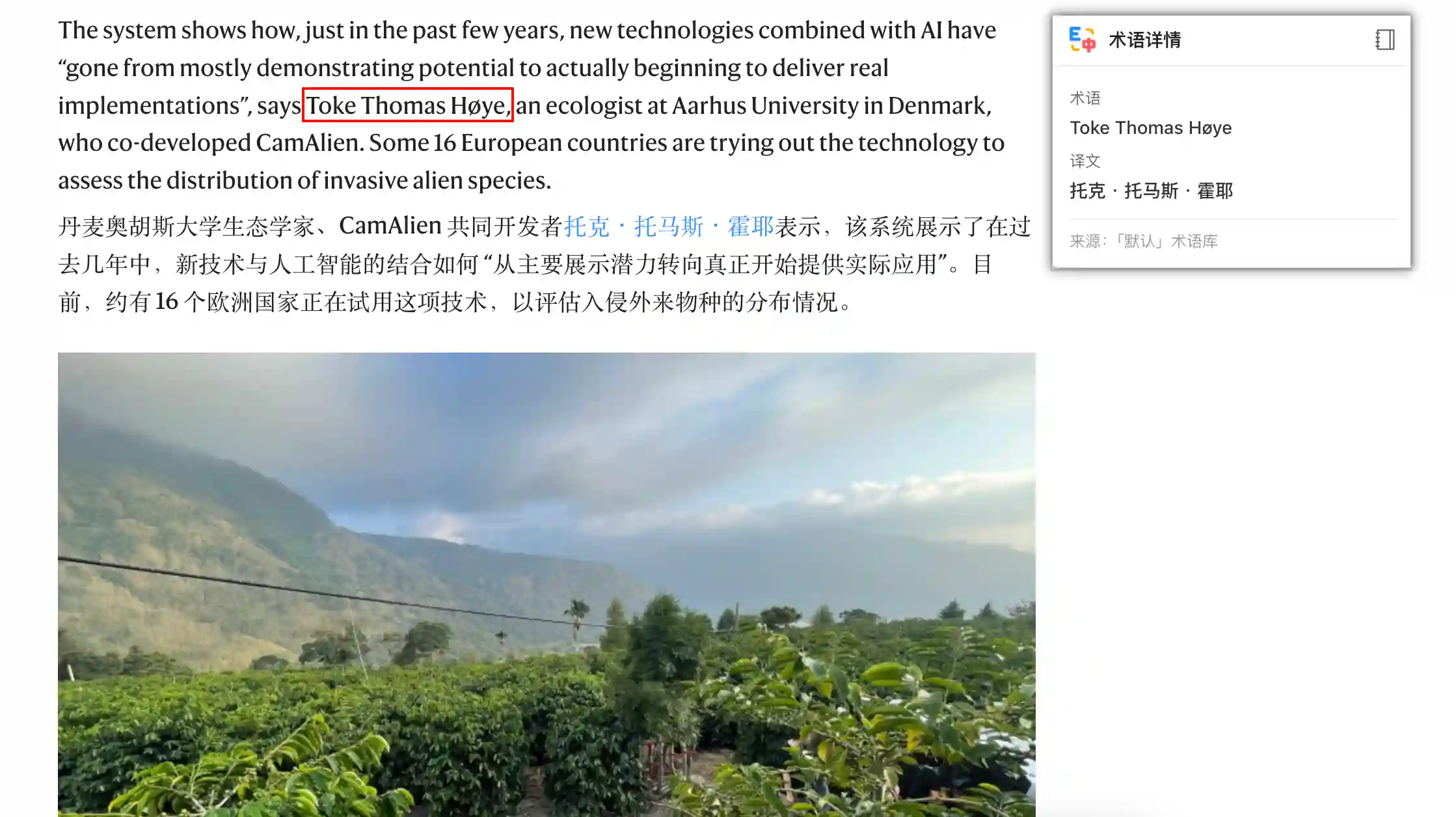
This extension comes with multiple built-in, domain-specific Termbases, and you can also create your own as needed.
- Built-in Termbases
- Provides preset termbases covering multiple domains.
- Each termbase includes commonly used terms and their Chinese translations, which you can enable or disable as needed.
- Custom Termbases
- You can create, edit, and delete Termbases, and import or export them in CSV format for easy migration and bulk term management.
- URL Matching
- You can assign matching URLs to each termbase so that it only takes effect on specified websites. For example, you can add
https://www.ebay.comto the E-commerce termbase. (* matches all websites.)
- You can assign matching URLs to each termbase so that it only takes effect on specified websites. For example, you can add
- Notes
- Termbases are enabled by default only in AI translation models. In machine translation models (Microsoft Translator, Google Translate, Yandex, DeepL), terms can only be processed using placeholders, which may lead to reduced translation quality. Therefore, it is not recommended to enable this option.
🔔 If you encounter any issues or have suggestions, you can submit them on the Feedback page.